
LinkedIn - AutoCAD 3D Essential Training
cod2war
29-Aug-21
0
Related Articles
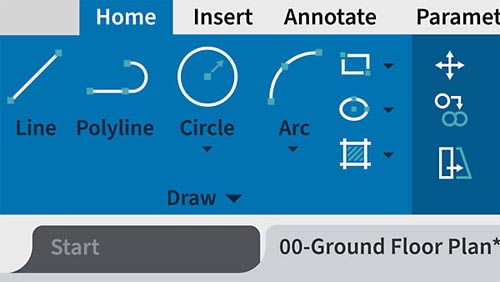
LinkedIn – AutoCAD Interface
On 11-Jun-21
by
LinkedIn – AutoCAD Interface Beginner | 1h 42m | 298 MB...
LinkedIn – AutoCAD Interface Beginner | 1h 42m | 298 MB...

LinkedIn – AutoCAD: Spaces and Workspaces
On 11-Jun-21
by
LinkedIn – AutoCAD: Spaces and Workspaces Beginner | 1h...
LinkedIn – AutoCAD: Spaces and Workspaces Beginner | 1h...

LinkedIn – AutoCAD: Output
On 17-Jun-21
by
LinkedIn – AutoCAD: Output Beginner | 1h 19m | 214 MB |...
LinkedIn – AutoCAD: Output Beginner | 1h 19m | 214 MB |...

Lynda - AutoCAD Mobile App (2019)
On 11-Jan-19
by
Lynda – AutoCAD Mobile App (2019) Intermediate | 2h 2m |...
Lynda – AutoCAD Mobile App (2019) Intermediate | 2h 2m |...

Lynda - AutoCAD 2020: Output
On 23-Jun-19
by
Lynda – AutoCAD 2020: Output Intermediate | 0h 45m | 117...
Lynda – AutoCAD 2020: Output Intermediate | 0h 45m | 117...

LinkedIn - AutoCAD 3D Essential Training
Intermediate | 3h 28m | 628 MB | Project Files | Software used: AutoCAD
DOWNLOAD
LinkedIn - AutoCAD 3D Essential Training
Intermediate | 3h 28m | 628 MB | Project Files | Software used: AutoCAD
Info: While AutoCAD is primarily used for 2D drafting, moving from 2D design tools into a 3D environment is easier than ever with newer versions of AutoCAD. So, why should you transition into 3D with AutoCAD? 3D modeling in AutoCAD opens a new dimension of opportunities, such as 3D printing and nondestructive prototyping, and finite element analysis. In this course, Shaun Bryant shows you how to move from 2D into 3D, and introduces the 3D concepts and methodologies available in the full version of AutoCAD. He starts with the basics, covering the AutoCAD 3D interface, then gets you started on a simple first AutoCAD 3D project. After this course you'll be ready to go from 2D drawing to 3D modeling, and into a whole new world of computer-aided design where you'll be able to communicate your design intent and create great visuals.

If link broken, comment under article, we will update it
Category: Tutorials
Related Articles
LinkedIn – AutoCAD Interface
On 11-Jun-21
by
LinkedIn – AutoCAD Interface Beginner | 1h 42m | 298 MB...
LinkedIn – AutoCAD Interface Beginner | 1h 42m | 298 MB...
LinkedIn – AutoCAD: Spaces and Workspaces
On 11-Jun-21
by
LinkedIn – AutoCAD: Spaces and Workspaces Beginner | 1h...
LinkedIn – AutoCAD: Spaces and Workspaces Beginner | 1h...
LinkedIn – AutoCAD: Output
On 17-Jun-21
by
LinkedIn – AutoCAD: Output Beginner | 1h 19m | 214 MB |...
LinkedIn – AutoCAD: Output Beginner | 1h 19m | 214 MB |...
Lynda - AutoCAD Mobile App (2019)
On 11-Jan-19
by
Lynda – AutoCAD Mobile App (2019) Intermediate | 2h 2m |...
Lynda – AutoCAD Mobile App (2019) Intermediate | 2h 2m |...
Lynda - AutoCAD 2020: Output
On 23-Jun-19
by
Lynda – AutoCAD 2020: Output Intermediate | 0h 45m | 117...
Lynda – AutoCAD 2020: Output Intermediate | 0h 45m | 117...
Information
Users of Guests are not allowed to comment this publication.