
LinkedIn – AutoCAD Interface
Admin2
11-Jun-21
0
Related Articles

LinkedIn – AutoCAD: Output
On 17-Jun-21
by
LinkedIn – AutoCAD: Output Beginner | 1h 19m | 214 MB |...
LinkedIn – AutoCAD: Output Beginner | 1h 19m | 214 MB |...

LinkedIn – AutoCAD: Spaces and Workspaces
On 11-Jun-21
by
LinkedIn – AutoCAD: Spaces and Workspaces Beginner | 1h...
LinkedIn – AutoCAD: Spaces and Workspaces Beginner | 1h...

Lynda - AutoCAD 2020: Interface
On 17-Jun-19
by
Lynda – AutoCAD 2020: Interface Beginner | 0h 59m | 167 MB...
Lynda – AutoCAD 2020: Interface Beginner | 0h 59m | 167 MB...

Lynda - AutoCAD 2020: Output
On 23-Jun-19
by
Lynda – AutoCAD 2020: Output Intermediate | 0h 45m | 117...
Lynda – AutoCAD 2020: Output Intermediate | 0h 45m | 117...

Lynda - AutoCAD 2020: Spaces and Workspaces
On 23-Jun-19
by
Lynda – AutoCAD 2020: Spaces and Workspaces Intermediate |...
Lynda – AutoCAD 2020: Spaces and Workspaces Intermediate |...
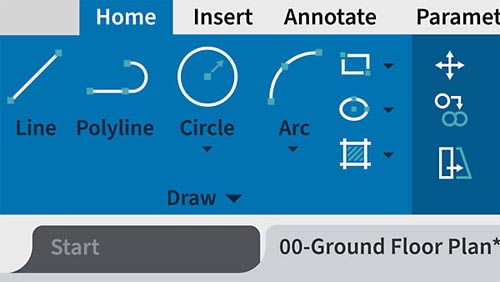
LinkedIn – AutoCAD Interface
Beginner | 1h 42m | 298 MB | Project Files | Software used: AutoCAD
==========
Info: AutoCAD 2022 is a powerful designing and drafting software used to create precise 2D and 3D designs. In this course, learn ways to work faster and smarter with the user interface by going beyond the basics covered in Learning AutoCAD and AutoCAD 2022 Essential Training. Shaun Bryant covers how to navigate drawings, create precise drawings, create output in different formats, and work with your drawings on web and mobile. Upon wrapping up this course, you’ll be prepared to use AutoCAD competently in any industry—architecture, engineering, construction, manufacturing, or product design.
DOWNLOAD

If link broken, comment under article, we will update it
Category: Other 3D
Information
Users of Guests are not allowed to comment this publication.