
JiggleGen
BBlK
26-Aug-25
0
Related Articles
Cloth Simulation: 3ds Max
On 14-Oct-17
by
Cloth Simulation: 3ds Max Duration: 3hr 20m | Video: h264,...
Cloth Simulation: 3ds Max Duration: 3hr 20m | Video: h264,...
Garment Tool for Blender v2.0.2
On 11-Mar-24
by
Garment Tool for Blender v2.0.2 Garment Tool is Blender...
Garment Tool for Blender v2.0.2 Garment Tool is Blender...
Lynda Cloth Simulation in 3ds Max - reup
On 16-Sep-16
by
Lynda Cloth Simulation in 3ds Max Video: AVC (.mp4)...
Lynda Cloth Simulation in 3ds Max Video: AVC (.mp4)...
Jiggle Maker v2.0
On 24-Oct-25
by
Jiggle Maker v2.0 Why JiggleMaker exists You know the...
Jiggle Maker v2.0 Why JiggleMaker exists You know the...
PolyCloth 2.0 for 3dsMax 2016-2021
On 29-Jan-21
by
PolyCloth 2.0 for 3dsMax 2016-2021 ========== Info:...
PolyCloth 2.0 for 3dsMax 2016-2021 ========== Info:...
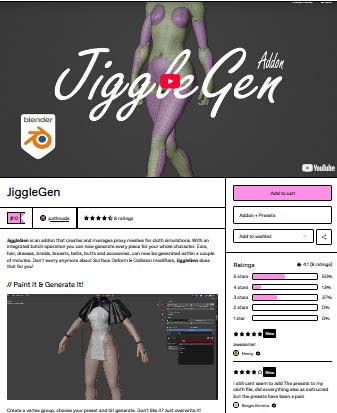
JiggleGen
Create a vertex group, choose your preset and hit generate. Don't like it? Just overwrite it! Everything gets well organized in a seperated collection.
// Save & Load Presets!
Save your favorite cloth settings for later. You never know when you need "Funny Ears" again.
// Batch operation
No matter how many clothes your character have to carry, each piece gets its own Simulation Mesh.
Core Features
Cloth & Collision Mesh from Vertex Groups: Quickly generate simulation-ready cloth and collision geometry from any vertex group.
Automatic Target Attachment: Attaches the target mesh to the generated cloth via a Surface Deform modifier.
Editable Pre-Generation: Cloth SettingsAdjust cloth simulation parameters before mesh generation for total control and flexibility.
Integrated Preset Library: Save, load, and reuse cloth setups using Blender’s native preset system—no custom file management needed.
Overwrite Existing Meshes: Regenerate cloth/collision meshes without manual cleanup—perfect for fast iterations and testing.
Structured Naming Convention: Auto-generates meaningful names for all objects and modifiers, based on origin mesh, vertex group, and preset.
Optional Modifiers During Generation
Decimate Modifier: Automatically reduce vertex count for performance.
Smooth Modifier: Add surface smoothing for cleaner cloth deformation.
Auto Parenting: Generated cloth mesh can automatically be parented to the target object.
Compact Utility Panel with Smart Shortcuts: A small, efficient UI panel with handy tools:
Bake All Simulations
Set Target Frame Range
Toggle JiggleGen Sim Visibility
Switch Between Pose & Rest Mode
Copy Cloth Settings to Active Object
Batch & Automation Features
Batch Cloth & Collision Generation: Process multiple objects in a single batch—perfect for characters with multiple dynamic areas.
Per-Vertex Group Preset Application: Assign unique cloth presets to each selected vertex group for full customization.
Batch Management Panel: Easily review, modify, or regenerate all components of your model through an organized batch queue.
Smart Collision Exclusion: Create a collision Mesh, which is the opposite of all selected vertex group mesh data—great for characters with both jiggly and rigid areas.
blender, jiggle
https://pathnode.gumroad.com/l/jigglegen?layout=profile
Warning! You are not allowed to view this text.
DOWNLOAD:You must login to show this link. No account? Create Account Category: Other Vendors
Information
Users of Guests are not allowed to comment this publication.