
Tx Layer for Blender v0.5.5
BBlK
11-Mar-24
0
Related Articles
Blender Makeup / Texture Paint Layer System
On 06-Nov-24
by
Blender Makeup / Texture Paint Layer System - Makeup...
Blender Makeup / Texture Paint Layer System - Makeup...
Blender Market - Plug-ins Collection 1 Sept 2019
On 05-Sep-19
by
Blender Market – Plug-ins Collection 1 Sept 2019...
Blender Market – Plug-ins Collection 1 Sept 2019...
Udemy - Philogix PBR Painter Pro Beginner to Advanced Cycles & Eevee
On 25-Nov-22
by
Udemy - Philogix PBR Painter Pro Beginner to Advanced...
Udemy - Philogix PBR Painter Pro Beginner to Advanced...
[UPDATED]Blender Addon SUPER-Solid-Mode V4.3.3
On 11-Jan-23
by
[UPDATED]Blender Addon SUPER-Solid-Mode V4.3.3...
[UPDATED]Blender Addon SUPER-Solid-Mode V4.3.3...
Krita Studio 3.2.0 (x86/x64) + Portable
On 20-Dec-17
by
Krita Studio 3.2.0 (x86/x64) + Portable | 232 MB...
Krita Studio 3.2.0 (x86/x64) + Portable | 232 MB...
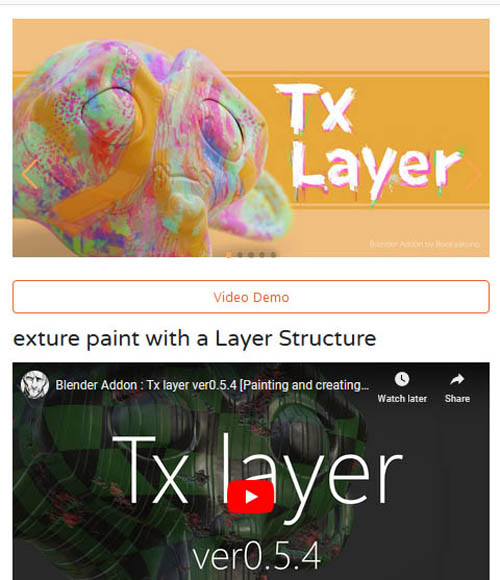
Tx Layer for Blender v0.5.5
Tx Layer Provides common layer operations in texture painting.
In addition to blend mode, opacity adjustment and basic layer operations, procedural textures and adjust layers are supported.
You can also create realistic textures by using multi channel (Color / Metallic / Roughness / Height).
When you create a layer, a group of nodes for the layer will be built in the shader node.
The node structure is automatically adjusted each time it is added or reordered from the add-on menu.
Layer features
Add/Delete/Sort/Duplicate layers
Blend mode/Opacity
Multiple channel support
(Color/Metallic/Roughness/Height/Normal)
Clipping mask
Solo display of layers
Protection from paint editing (Lock)
Batch operation with multiple selections
Layer type
Mask layer
Fill layer
Procedural texture layer
Adjustment layer
Vertex color layer
Node group layer
Classification folder
Bake
Combine all layers
Single layer rasterization
Bake shading and lighting
Export each layer
Export raw data image for each layer
Auxiliary functions
Switching shading type
(Emission/Diffuse/Each channel)
Batch loading of brush textures
Eyedropper tool to get the correct diffuse color
Shortcut for switching eraser circulation
Assets
Basic brush texture included
Node groups
(Edge Generator, Gradient Noise, etc.)
https://blendermarket.com/products/cycles-texture-paint-layers
Required Product:Blender
Warning! You are not allowed to view this text.
DOWNLOAD
You must login to show this link. No account? Create Account Category: Other VendorsInformation
Users of Guests are not allowed to comment this publication.