
Invisi Lights: Ghost Lights and Light Profiles
BBlK
03-Dec-23
0
Related Articles
Oh Ghost Light
On 18-Mar-24
by
Oh Ghost Light Detail link: OH Ghost Light, for Daz 4.21+,...
Oh Ghost Light Detail link: OH Ghost Light, for Daz 4.21+,...
Iray Ghost Light Kit Classic
On 06-Dec-25
by
Iray Ghost Light Kit Classic Detail link: Iray ghost light...
Iray Ghost Light Kit Classic Detail link: Iray ghost light...
Iray Cinematic Ghost Lights
On 20-Jul-25
by
Iray Cinematic Ghost Lights Detail link: Achieve...
Iray Cinematic Ghost Lights Detail link: Achieve...
Quick Scenes - Iray Studio Lights Bundle
On 08-Jul-24
by
Quick Scenes - Iray Studio Lights Bundle Detail link: This...
Quick Scenes - Iray Studio Lights Bundle Detail link: This...
Lightmap HDR Light Studio Tungsten 6.4.0.2020.0326 Win x64
On 08-Apr-20
by
Lightmap HDR Light Studio Tungsten 6.4.0.2020.0326 Win x64...
Lightmap HDR Light Studio Tungsten 6.4.0.2020.0326 Win x64...
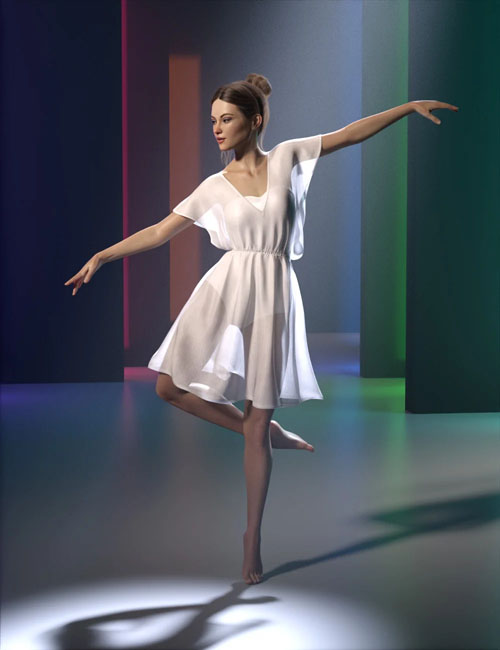
Invisi Lights: Ghost Lights and Light Profiles
Detail link: https://www.daz3d.com/invisi-lights-ghost-lights-and-light-profiles
Have you ever wanted an invisible light source? A quick way to add light to a room without setting emissive surfaces so bright that they whiten out the lampshade texture? A spot light that doesn't create reflections in places where you don't want them? A way to add a spot light in the Iray Sun & Sky render mode?
Your wishes have just been fulfilled!
This set of invisible light sources, so-called "ghost lights" makes use of the new Iray features.
It allows you to do all the things mentioned above, plus gives you several cool effects.
The set includes invisible lights in different geometric shapes (box, cylinder, sphere, half sphere, and ceiling plane), simply choose the one that matches your scene best.
Fit the light into a light fixture or let it hang invisible in the middle of the room - the choice is yours!
In addition to the mesh lights you also get a Spot Light which can light the scene without creating reflections, a mesh plane parented to a camera so it can be positioned like a spot, and an Atmosphere Cube for special effects like god-rays.
The set also gives you 12 different light profiles for special lighting effects.
Enhance your renders with the Invisi Light set!
Note: This product requires Daz Studio 4.22 and higher!
Warning! You are not allowed to view this text.
Information
Users of Guests are not allowed to comment this publication.