
Lynda – Creating Icons with Illustrator (2021)
BBlK
12-Jan-21
0
Related Articles
Lynda – Illustrator 2021 Essential Training
On 02-Nov-20
by
Lynda – Illustrator 2021 Essential Training Beginner |...
Lynda – Illustrator 2021 Essential Training Beginner |...
![[Tutorials] Create your own Set of Social Media Vector Icons with Adobe Illustrator](http://i.imgur.com/8miQRKz.jpg)
[Tutorials] Create your own Set of Social Media Vector Icons with Adobe Illustrator
On 14-Jun-16
by
Create your own Set of Social Media Vector Icons with...
Create your own Set of Social Media Vector Icons with...

Lynda - Learning Illustrator Draw
On 04-Mar-19
by
Lynda – Learning Illustrator Draw Beginner | 1h 15m | 248...
Lynda – Learning Illustrator Draw Beginner | 1h 15m | 248...
Digital Tutors - Developing Unified Asset Systems in Illustrator - English
On 09-Oct-15
by
Digital Tutors - Developing Unified Asset Systems in...
Digital Tutors - Developing Unified Asset Systems in...

Lynda - Illustrator CC 2018 Essential Training
On 23-Oct-17
by
Lynda – Illustrator CC 2018 Essential Training Beginner |...
Lynda – Illustrator CC 2018 Essential Training Beginner |...
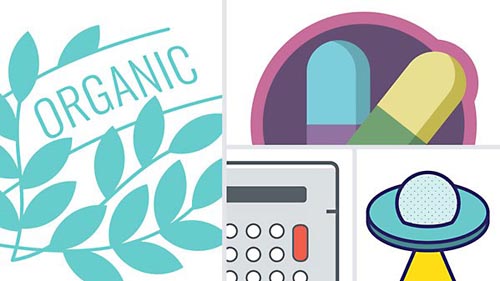
Lynda – Creating Icons with Illustrator (2021)
Beginner | 3h 9m | 832 MB | Project Files | Software used: Illustrator
==========
Info: This course provides an overview of what an icon is and its key characteristics, then teaches you how to design your own icons using Adobe Illustrator. Instructor Bart Van de Wiele explores why you need icons, how you use them, and why scalability is important. Bart steps you through how to set up your Illustrator document before you begin your design process. He describes how to organize your work using Illustrator artboards for arranging, naming, and exporting your icons. Bart walks you through ways to import your sketch into Illustrator, then goes over how to clean up your sketch digitally. He shows you how to use simple, complex, and compound shapes to build your logo digitally, then explores several more advanced techniques. In conclusion, Bart covers best practices for exporting your icons for the web, for print, and for use in other applications like Photoshop.
DOWNLOAD
Direct Download
If link broken, comment under article, we will update it
Category: Tutorials
Information
Users of Guests are not allowed to comment this publication.