
Lynda – Typography and Type Effects Using Illustrator on the iPad
cod2war
02-Dec-20
0
Related Articles
Lynda – Illustrator 2021 New Features
On 29-Oct-20
by
Lynda – Illustrator 2021 New Features Intermediate | 0h...
Lynda – Illustrator 2021 New Features Intermediate | 0h...
![[Tutorials] Train Simple - Illustrator CC Designing Type with Graphic Styles](http://i72.fastpic.ru/big/2015/0615/9e/616acda3f6869e435a0921a06f9ce69e.jpg)
[Tutorials] Train Simple - Illustrator CC Designing Type with Graphic Styles
On 15-Jun-15
by
Train Simple - Illustrator CC Designing Type with Graphic...
Train Simple - Illustrator CC Designing Type with Graphic...
LinkedIn – Logo Design: Type Treatments
On 04-Jul-21
by
LinkedIn – Logo Design: Type Treatments Intermediate |...
LinkedIn – Logo Design: Type Treatments Intermediate |...

Lynda - Photoshop for Designers: Type Effects (2018) (updated Feb 11, 2019)
On 20-Feb-19
by
Lynda – Photoshop for Designers: Type Effects (2018)...
Lynda – Photoshop for Designers: Type Effects (2018)...
![[Tutorials] Photoshop for Designers: Working with Illustrator](http://i.imgur.com/8igwZlF.jpg)
[Tutorials] Photoshop for Designers: Working with Illustrator
On 08-Apr-16
by
Photoshop for Designers: Working with Illustrator...
Photoshop for Designers: Working with Illustrator...
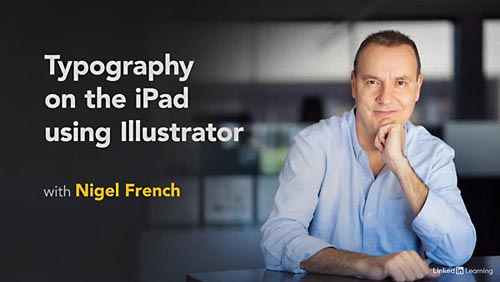
Lynda – Typography and Type Effects Using Illustrator on the iPad
Intermediate | 2h 31m | 378 MB | Software used: Illustrator
==========
Info: The long-awaited iPad version of Illustrator has arrived. Adobe has reimagined their popular desktop design package to leverage the unique capabilities of the iPad. In this course, Nigel French highlights what this easy-to-use—and surprisingly powerful—app has to offer, showing graphic designers and illustrators what’s possible with type and type effects on the iPad. Nigel focuses on what users can accomplish when working exclusively within Illustrator on the iPad. He delves into simple and complex type effects, demonstrating the following features: the Shape Builder and the Combine Shapes options, clipping masks and compound paths, color and opacity, type on a path, and the exciting repeat options.
DOWNLOAD
Direct Download
If link broken, comment under article, we will update it
Category: Tutorials
Information
Users of Guests are not allowed to comment this publication.