
Lynda – Maya and Arnold: Architectural Materials
cod2war
24-Aug-20
0
Related Articles
Lynda – Maya and Arnold: Exterior Lighting and Rendering
On 17-Nov-20
by
Lynda – Maya and Arnold: Exterior Lighting and Rendering...
Lynda – Maya and Arnold: Exterior Lighting and Rendering...
Lynda - Maya 2019 Essential Training (updated May 11, 2019)
On 18-May-19
by
Lynda – Maya 2019 Essential Training (updated May 11,...
Lynda – Maya 2019 Essential Training (updated May 11,...
Lynda - 3ds Max and V-Ray: Residential Interior Materials
On 14-Mar-19
by
Lynda – 3ds Max and V-Ray: Residential Interior Materials...
Lynda – 3ds Max and V-Ray: Residential Interior Materials...
Vray shaders for maya and Arnold Shaders for maya
On 02-Oct-15
by
Vray shaders for maya and Arnold Shaders for maya Maya |...
Vray shaders for maya and Arnold Shaders for maya Maya |...
Lynda – Substance Designer: Creating Nonphotorealistic (NPR) Materials
On 28-Apr-20
by
Lynda – Substance Designer: Creating Nonphotorealistic...
Lynda – Substance Designer: Creating Nonphotorealistic...
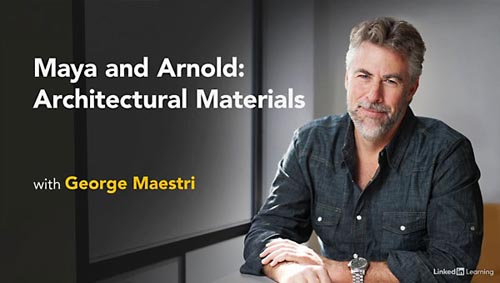
Lynda – Maya and Arnold: Architectural Materials
Intermediate | 1h 50m | 719 MB | Project Files | Software used: Maya, Substance Designer
==========
Info: Learn how to create realistic materials for 3D architectural visualizations using Maya, Arnold, and Substance. In this course, instructor George Maestri explains how to use these popular tools to create your own custom materials for interior and exterior architectural renderings, including glass and other transparent surfaces, stucco, metal, foliage such as grass and groundcover, and more. Learn how to prepare your geometry for texturing via UV mapping and then dive into the standard and physically based rendering (PBR) materials available out of the box in Arnold and the Substance source library. George then shows how to create custom materials in Arnold, Substance Designer, and Substance Alchemist. At the end of each chapter, George shows how to import your new materials into Maya so they are ready to use in visualizations. By the end of this course, you’ll have the skills and knowledge to take advantage of the best features in each program for your own material creation process.
DOWNLOAD
You must login to show this link. No account? Create Account Category: TutorialsInformation
Users of Guests are not allowed to comment this publication.