
Lynda – Animating in Photoshop
cod2war
13-Aug-20
0
Related Articles
Lynda - Animating in 2D: Loosening Up
On 20-Sep-18
by
Lynda – Animating in 2D: Loosening Up...
Lynda – Animating in 2D: Loosening Up...
Lynda - SketchUp: Concept Drawings with Photoshop
On 25-Feb-18
by
Lynda – SketchUp: Concept Drawings with Photoshop...
Lynda – SketchUp: Concept Drawings with Photoshop...
LinkedIn - Creative Animation in Photoshop
On 03-Aug-23
by
LinkedIn - Creative Animation in Photoshop...
LinkedIn - Creative Animation in Photoshop...
[Tutorials] Lynda - 2D Animation: Character & Attitude Walk Cycles
On 12-Apr-16
by
Lynda - 2D Animation: Character & Attitude Walk Cycles...
Lynda - 2D Animation: Character & Attitude Walk Cycles...
Lynda - Toon Boom Harmony Essential Training
On 20-May-18
by
Lynda – Toon Boom Harmony Essential Training Beginner | 4h...
Lynda – Toon Boom Harmony Essential Training Beginner | 4h...
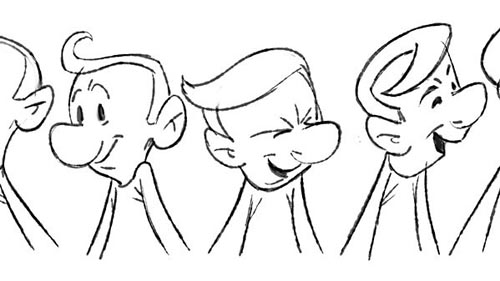
Lynda – Animating in Photoshop
Intermediate | 1h 41m | 379 MB | Project Files | Software used: Photoshop
==========
Info: Interested in bringing your line drawings to life? With Adobe Photoshop, you can transform your hand-drawn artwork into compelling animations quickly, avoiding complex specialty software with steep learning curves. Learn how to use Photoshop to make your drawings move in this course with veteran animator Dermot O’ Connor. Find out how to draw captivating characters with media brushes, clean up your rough drawings, and add color and inking. Dermot then takes you to the timeline where the animation takes place and shows how to draw the keys, or main poses of an animation; breakdowns; and inbetweens. He also shows how to plot arcs to establish timing and spacing. Finally, learn how to adjust the timing of the final animation and render out the results. By the end of this course, you’ll be able to harness this popular software to bring your artwork to life.
DOWNLOAD
You must login to show this link. No account? Create Account Category: TutorialsInformation
Users of Guests are not allowed to comment this publication.