
AnimSchool – Introduction to Rigging
cod2war
27-Jul-20
0
Related Articles
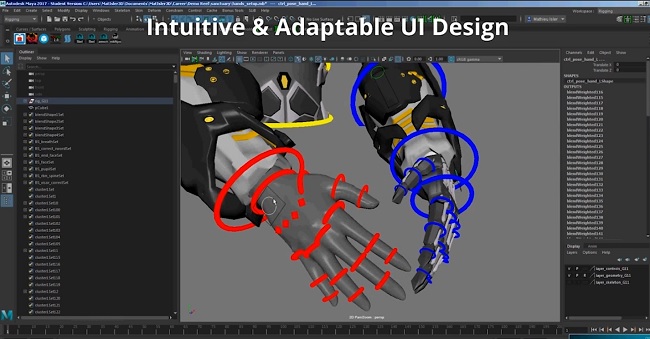
AnimSchool - Introduction to Rigging with Mat Isler 2023
On 04-Jul-23
by
AnimSchool - Introduction to Rigging with Mat Isler 2023...
AnimSchool - Introduction to Rigging with Mat Isler 2023...
![[Tutorials] Character Rigging in Maya](http://i.imgur.com/ZwOGZbf.jpg)
[Tutorials] Character Rigging in Maya
On 20-Jun-15
by
Character Rigging in Maya...
Character Rigging in Maya...

AnimSchool – Intermediate Rigging
On 27-Jul-20
by
AnimSchool – Intermediate Rigging ========== Info: This...
AnimSchool – Intermediate Rigging ========== Info: This...
Udemy - Introduction to Character Rigging in Maya
On 22-Aug-22
by
Udemy - Introduction to Character Rigging in Maya Duration...
Udemy - Introduction to Character Rigging in Maya Duration...
Udemy - Character Rigging Crash Course In Maya For Intermediate User
On 29-Mar-23
by
Udemy - Character Rigging Crash Course In Maya For...
Udemy - Character Rigging Crash Course In Maya For...

AnimSchool – Introduction to Rigging
==========
Info:
An introduction to the principles of rigging, applied to simple objects and scenarios. In order for any 3D animation to happen, riggers (Character Technical Directors) take a completed character or prop model and use the concepts learned in this class to prepare it for deformation and action. Riggers insert bones (joints) into the character and refine the shapes and control systems so the character can act. Students learn basic rigging concepts including hierarchies, constraints, skinning, blendshapes, connections, joints, orientation, inverse kinematics, expressions, math nodes, xray, curve controls, custom attributes, sets, Set Driven Keys, and hypergraph connections.
By the end of the Introduction to Rigging class:
 The student will be expected to demonstrate a good understanding of basic rigging in Maya.
 The student will be expected to demonstrate an ability to perform basic rigging tasks: place
objects in hierarchies, apply constraints, make set driven keys, make joints and IK chains, math
nodes, apply deformers and skinning.
 The student will be expected to create a basic body rig.
DOWNLOAD HERE :
https://seekvn.com/file/203e6ae4dd539a4e126a0cc8488feb2d/AnimSchoolIntroductiontoRigging.part1.rar.html
https://seekvn.com/file/43f614324c959d9acf4f1dfe58cc0f1f/AnimSchoolIntroductiontoRigging.part2.rar.html
https://seekvn.com/file/c93b0aa0a76899dda216effc26402f63/AnimSchoolIntroductiontoRigging.part3.rar.html
https://seekvn.com/file/1d53cde40c74275c199bd0d496201a7c/AnimSchoolIntroductiontoRigging.part4.rar.html
https://seekvn.com/file/edd673bd5b943f981c3802a8a19d814a/AnimSchoolIntroductiontoRigging.part5.rar.html
https://seekvn.com/file/6655e740f58415271b4f7926b2324796/AnimSchoolIntroductiontoRigging.part6.rar.html
DOWNLOAD
Direct Download
If link broken, comment under article, we will update it
Category: Tutorials
Information
Users of Guests are not allowed to comment this publication.