
Unreal Engine Marketplace – EasyMapper
cod2war
20-Dec-23
0
Related Articles
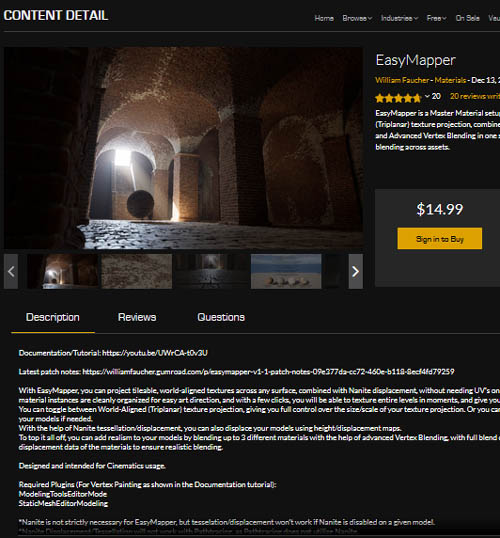
EasyMapper
On 08-Feb-24
by
EasyMapper Detail link: Documentation/Tutorial: Latest...
EasyMapper Detail link: Documentation/Tutorial: Latest...
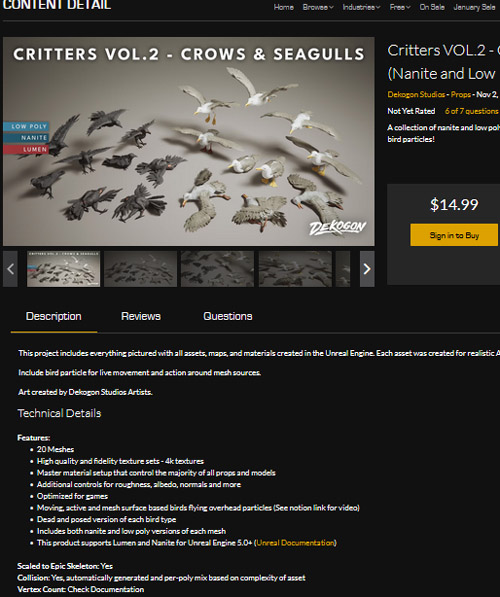
Critters VOL.2 - Crows & Seagulls (Nanite and Low Poly w/Particle)
On 21-Jan-24
by
Critters VOL.2 - Crows & Seagulls (Nanite and Low Poly...
Critters VOL.2 - Crows & Seagulls (Nanite and Low Poly...

Udemy – Advanced Modeling Techniques for AAA Assets in Unreal Engine
On 17-Aug-25
by
Udemy – Advanced Modeling Techniques for AAA Assets in...
Udemy – Advanced Modeling Techniques for AAA Assets in...
![[Max] Unreal Engine 4 Market Place Modular Desert Ruins](http://i.imgur.com/uiydUUj.jpg)
[Max] Unreal Engine 4 Market Place Modular Desert Ruins
On 26-Apr-16
by
Unreal Engine 4 Market Place Modular Desert Ruins 3D...
Unreal Engine 4 Market Place Modular Desert Ruins 3D...
Unreal Engine 4 Market Place Modular Desert Ruins
On 10-Sep-16
by
Unreal Engine 4 Market Place Modular Desert Ruins 3D...
Unreal Engine 4 Market Place Modular Desert Ruins 3D...
Unreal Engine Marketplace – EasyMapper
DOWNLOAD
Unreal Engine Marketplace – EasyMapper
Info:
Unreal Engine 5
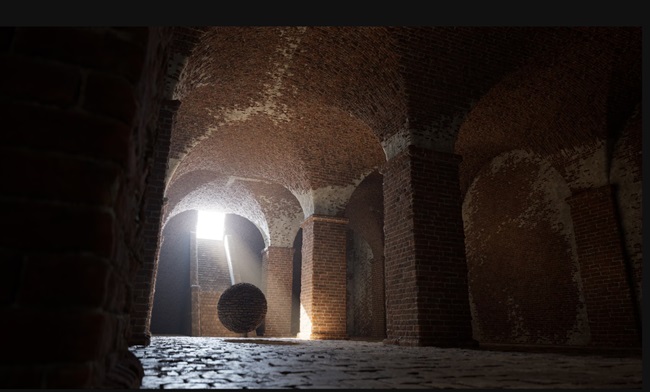
With EasyMapper, you can project tileable, world-aligned textures across any surface, combined with Nanite displacement, without needing UV's on your models.
EasyMapper's material instances are cleanly organized for easy art direction, and with a few clicks, you will be able to texture entire levels in moments, and give your models the detail they deserve.
You can toggle between World-Aligned (Triplanar) texture projection, giving you full control over the size/scale of your texture projection. Or you can use your "regular" UV mapping on your models if needed.
With the help of Nanite tessellation/displacement, you can also displace your models using height/displacement maps.
To top it all off, you can add realism to your models by blending up to 3 different materials with the help of advanced Vertex Blending, with full blend controls using the height/displacement data of the materials to ensure realistic blending.
Designed and intended for Cinematics usage.
Required Plugins (For Vertex Painting as shown in the Documentation tutorial):
ModelingToolsEditorMode
StaticMeshEditorModeling
*Nanite is not strictly necessary for EasyMapper, but tesselation/displacement won't work if Nanite is disabled on a given model.
*Nanite Displacement/Tessellation will not work with Pathtracing, as Pathtracing does not utilize Nanite.
DOWNLOAD HERE
https://nitroflare.com/view/4437788F6D841FB/UnrealEngineMarketplaceEasyMapper.part1.rar
https://nitroflare.com/view/1F4DB34346852F7/UnrealEngineMarketplaceEasyMapper.part2.rar
https://nitroflare.com/view/5EEC10E8B9BAA5A/UnrealEngineMarketplaceEasyMapper.part3.rar
https://nitroflare.com/view/CCEB35CEDEE0F03/UnrealEngineMarketplaceEasyMapper.part4.rar

If link broken, comment under article, we will update it
Category: Tutorials
Related Articles
EasyMapper
On 08-Feb-24
by
EasyMapper Detail link: Documentation/Tutorial: Latest...
EasyMapper Detail link: Documentation/Tutorial: Latest...
Critters VOL.2 - Crows & Seagulls (Nanite and Low Poly w/Particle)
On 21-Jan-24
by
Critters VOL.2 - Crows & Seagulls (Nanite and Low Poly...
Critters VOL.2 - Crows & Seagulls (Nanite and Low Poly...
Udemy – Advanced Modeling Techniques for AAA Assets in Unreal Engine
On 17-Aug-25
by
Udemy – Advanced Modeling Techniques for AAA Assets in...
Udemy – Advanced Modeling Techniques for AAA Assets in...
[Max] Unreal Engine 4 Market Place Modular Desert Ruins
On 26-Apr-16
by
Unreal Engine 4 Market Place Modular Desert Ruins 3D...
Unreal Engine 4 Market Place Modular Desert Ruins 3D...
Unreal Engine 4 Market Place Modular Desert Ruins
On 10-Sep-16
by
Unreal Engine 4 Market Place Modular Desert Ruins 3D...
Unreal Engine 4 Market Place Modular Desert Ruins 3D...
Information
Users of Guests are not allowed to comment this publication.