
Udemy - How To Rapidly Make 2D And 3D Game Art
cod2war
19-Aug-23
0
Related Articles
Udemy - Blender and Godot 4: Make a Low poly Ps1 Style Horror game
On 02-Jun-23
by
Udemy - Blender and Godot 4: Make a Low poly Ps1 Style...
Udemy - Blender and Godot 4: Make a Low poly Ps1 Style...
Udemy – Unity C# | Learn Game Development | Make Online Games From 0
On 13-Mar-24
by
Udemy – Unity C# | Learn Game Development | Make Online...
Udemy – Unity C# | Learn Game Development | Make Online...
Udemy - Guide to quickly creating Blender art High poly jet plane!
On 30-Sep-22
by
Udemy - Guide to quickly creating Blender art High poly...
Udemy - Guide to quickly creating Blender art High poly...
Udemy – Unreal Engine 5: Creating a Car Racing Game
On 27-Dec-23
by
Udemy – Unreal Engine 5: Creating a Car Racing Game...
Udemy – Unreal Engine 5: Creating a Car Racing Game...

Udemy – Make a Starship Unity Game Powered by AI!
On 10-Feb-20
by
Udemy – Make a Starship Unity Game Powered by AI!...
Udemy – Make a Starship Unity Game Powered by AI!...
Udemy - How To Rapidly Make 2D And 3D Game Art
DOWNLOAD
Udemy - How To Rapidly Make 2D And 3D Game Art
Title: Udemy - How To Rapidly Make 2D And 3D Game Art
Info:
What you'll learn
How to make detailed textures for 3d models with a low-poly retro style
How to quickly make nice-looking minimalist 2d art for horror games
How to easily make rotoscoped animations for your games
How to make simple vfx for your 2d games
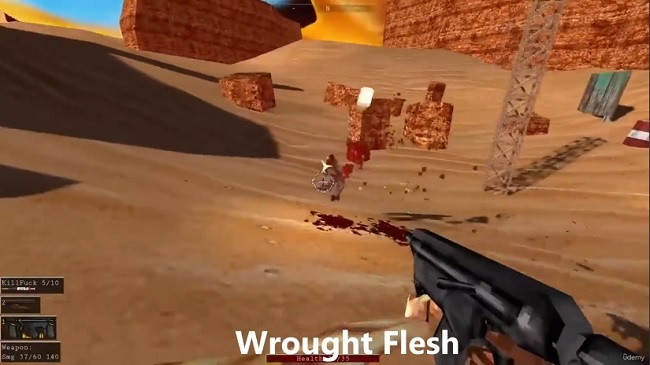
I am a professional indie game developer who has released successful games that are both 2d (Endoparasitic) and 3d (Wrought Flesh). In this course you will learn the techniques I use to quickly make high-quality 2d and 3d art for my games. This includes rotoscoped animations, IK based animations, stencil painted textures, and 2d vfx that makes simple art pop and look great.
In the 2D section I cover making a player character that uses IK for the upper body and rotoscoped animations for their lower body, a monster made of silhouetted blobs, simple sprite styles for making interesting environments, and vfx to make it all look good.
In the 3D section I cover making a humanoid monster character, with specific focus on my texturing style. While I only cover making a character, the same techniques can be easily applied for texturing environmental assets.
This is a fast-paced course that rapidly summarizes my techniques, the videos are not intended to be followed step-by-step, but rather watched to learn the general steps and mindset I take when creating art.
This course is aimed at game developers experienced with 3d modelling software such as Blender, game development tools like Godot, and 2d art software such as Krita. If you are not confident in your abilities with these or similar tools, this course is not for you.
Who this course is for:
Intermediate Game Developers who want to learn some tricks to make better art faster for their games
DOWNLOAD HERE
https://nitroflare.com/view/BD7566D2967B0A5/UdemyHowToRapidlyMake2DAnd3DGameArt.part1.rar
https://nitroflare.com/view/3AC12D5886D2D31/UdemyHowToRapidlyMake2DAnd3DGameArt.part2.rar
https://nitroflare.com/view/8BF0832607ED6E3/UdemyHowToRapidlyMake2DAnd3DGameArt.part3.rar
https://nitroflare.com/view/6A68C1311967F91/UdemyHowToRapidlyMake2DAnd3DGameArt.part4.rar

If link broken, comment under article, we will update it
Category: Tutorials
Information
Users of Guests are not allowed to comment this publication.