
Udemy - Blender Beginner Class - Master The User Interface
cod2war
01-Nov-22
0
Related Articles
Udemy - From Maya to Blender | Blender Basics for Maya user
On 11-Jun-22
by
Udemy - From Maya to Blender | Blender Basics for Maya...
Udemy - From Maya to Blender | Blender Basics for Maya...

Udemy – First Day in Blender 4
On 06-Jul-24
by
Udemy – First Day in Blender 4 Duration 1h 57m MP4...
Udemy – First Day in Blender 4 Duration 1h 57m MP4...

Udemy - Complete Blender Course Creating Game Assets for Beginners
On 13-Apr-22
by
Udemy - Complete Blender Course Creating Game Assets for...
Udemy - Complete Blender Course Creating Game Assets for...

Udemy - Blender 3D: Car Rendering for Beginners
On 29-Mar-23
by
Udemy - Blender 3D: Car Rendering for Beginners...
Udemy - Blender 3D: Car Rendering for Beginners...
Udemy - Blender 3D: Car Rendering for Beginners
On 28-Mar-23
by
Udemy - Blender 3D: Car Rendering for Beginners...
Udemy - Blender 3D: Car Rendering for Beginners...
Udemy - Blender Beginner Class - Master The User Interface
Duration 1h MP4
DOWNLOAD
Udemy - Blender Beginner Class - Master The User Interface
Duration 1h MP4
Info:
Your 1st step to learning Blender
What you'll learn
How the Blender UI is strucutred
Accessing the template that best suits your workflow
Create your own layouts to suit your own projects
Change the look of the Blender UI Using Options From The System Preferences
Requirements
There are no requirements before taking this class
Description
This is our beginners' class on learning how to manipulate the Blender UI, and it is often the first stop on our journey to learning Blender. By the end of this class, we will be able to successfully navigate the user interface, understand how Blender is structured, and even be able to change that structure to suit our own workflow.
If you are new to using the Blender software, then this is the perfect 1st course for you as it courses the basics of the Blender interface, ensuring that by the end, you are comfortable to start creating your 3D models using the software.
We teach the following topics in this course.
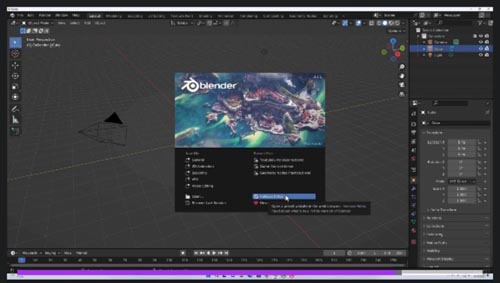
How to navigate to any project using the splash screen
Understand the layout of the Blender interface and how it is constructed
Manipulate your workspace by moving, swapping, adding and deleting panels
Control the appearance of your UI elements via the preferences panel
Create your own custom workspace for your project
Blender 3D is one of the most popular 3D modeling applications available today and is used by millions of artists around the world. Get started on your own Blender journey to becoming a 3D artist, animator, graphic designer etc, and it starts here, learning about the software itself.
Who this course is for:
Absolute Beginners To The Blender Software
DOWNLOAD HERE :
https://seekvn.com/file/41ca5bc7f68043d40aea084163a49026/UdemyBlenderBeginnerClassMasterTheUserInterface.part1.rar.html
https://seekvn.com/file/c7d27b1706c59c411accfcb708fa58a5/UdemyBlenderBeginnerClassMasterTheUserInterface.part2.rar.html
https://seekvn.com/file/9d6bbaa554b801716f7cb8b5485bcb38/UdemyBlenderBeginnerClassMasterTheUserInterface.part3.rar.html

If link broken, comment under article, we will update it
Category: Tutorials
Information
Users of Guests are not allowed to comment this publication.