
Udemy - Making Procedural Weapons In Blender 3
cod2war
20-Apr-22
0
Related Articles
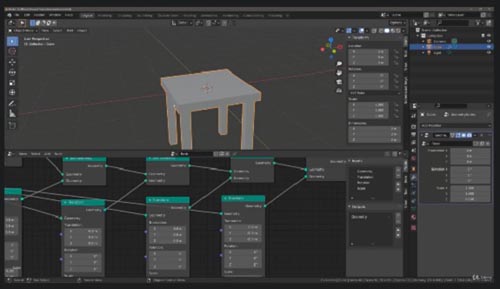
Udemy - Create Objects Procedurally With Geometry Nodes In Blender
On 13-Oct-21
by
Udemy - Create Objects Procedurally With Geometry Nodes In...
Udemy - Create Objects Procedurally With Geometry Nodes In...
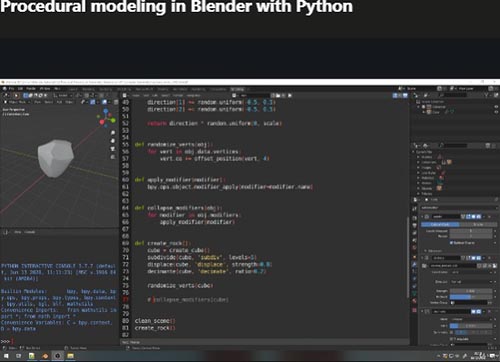
Udemy – Procedural modeling in Blender with Python
On 28-Jun-21
by
Udemy – Procedural modeling in Blender with Python...
Udemy – Procedural modeling in Blender with Python...
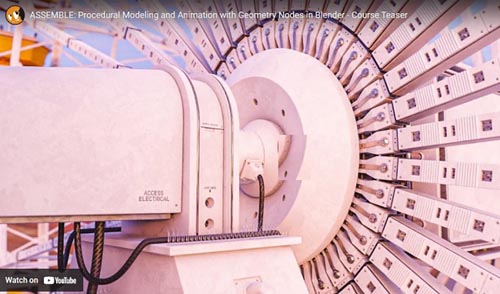
CGCookie - ASSEMBLE Introduction to Procedural Modeling with Geometry Nodes in Blender
On 18-Dec-22
by
CGCookie - ASSEMBLE Introduction to Procedural Modeling...
CGCookie - ASSEMBLE Introduction to Procedural Modeling...
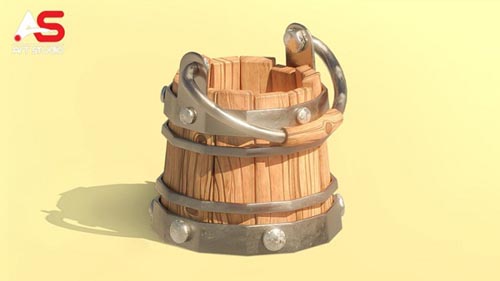
Udemy - Complete Blender Course Creating Game Assets for Beginners
On 13-Apr-22
by
Udemy - Complete Blender Course Creating Game Assets for...
Udemy - Complete Blender Course Creating Game Assets for...
Udemy - Blender : Ultimate Game Art Creation Guide
On 01-Nov-22
by
Udemy - Blender : Ultimate Game Art Creation Guide...
Udemy - Blender : Ultimate Game Art Creation Guide...
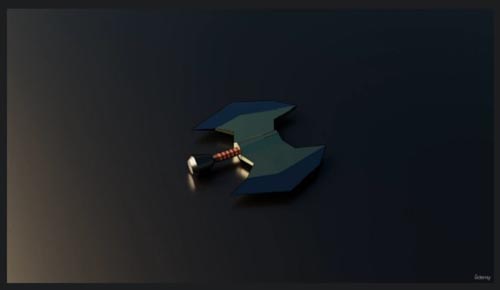
Udemy - Making Procedural Weapons In Blender 3
Duration 7h MP4
DOWNLOAD
Udemy - Making Procedural Weapons In Blender 3
Duration 7h MP4
Info:
Use Geometry Nodes, and Python to create 100s of game ready assets in just one click!
What you'll learn
Make python scripts in blender to speed up your work flow
Learn about Geometry Nodes in Blender 3
Make 100s of weapons in just one click
Create many game assets in a short amount of time.
Requirements
A basic knowledge of Blender would be helpful to get going quickly
Description
Do you want to be able to make hundreds of weapons at the click of a button? Then this is the course for you!
Blender is a brilliant program, capable of creating amazing models which can be exported to any game engine. In this course, we focus on the free and open-source Godot game engine. Many of the techniques taught will be immediately applicable to other game engines as well. Here are just a few of the things you'll learn during this course:
Why and when to use procedural generation.
Understand the main workflow steps.
Use geometry nodes to assemble new weapons for you.
Write a basic export script that saves you hours of time!
This is an intermediate course- but wait! What does that really mean?
I always start my courses in an easy to understand manner and talk through all of my steps, however, if you are completely new to Blender or 3D modelling, you might struggle to follow along. If you have some existing Blender knowledge you will be able to jump straight in and follow along!
You'll be OK with little or no experience. With our online tutorials, you'll be amazed at what you can achieve, with instructor support and online help.
The course starts with building some basic weapon components that we will assemble manually and step through all the necessary processes to ensure your exported model works flawlessly. You will apply your new skills to your project all the time. Project files will all be included, as well as additional references and resources - you'll never get stuck. There are talking-head videos along with the screencasts for you to follow.
For each of the models that you build you will follow this process:
Be taught a new technique.
Challenged to apply the lessons to your own work.
Be shown step-by-step how to build it.
Apply your previous knowledge regularly.
You'll get lifetime access to the course. The creators are qualified and experienced professionals who are able to explain complex concepts clearly, as well as entertain along the way. By the end of the course, you'll be very confident making 3D assets ready for export to Godot.
Access to this course comes with an optional, free community site where you can share games and 3D models and as well as Discord, where you can connect with other students.
Let's hop on over, into Blender!
Who this course is for:
Blender Users want to make game assets quickly without compromising on quality
DOWNLOAD HERE :
https://seekvn.com/file/ca9c0ad0d1d323813f7be2effe7e6382/UdemyMakingProceduralWeaponsInBlender3.part1.rar.html
https://seekvn.com/file/c4e1f9c64c691bf16f1d33b2ba76aa16/UdemyMakingProceduralWeaponsInBlender3.part2.rar.html
https://seekvn.com/file/ac08fd4ba20a164050789536d30b399e/UdemyMakingProceduralWeaponsInBlender3.part3.rar.html
https://seekvn.com/file/e23eb3371519ae6a98abd52e7c58bc1c/UdemyMakingProceduralWeaponsInBlender3.part4.rar.html
https://seekvn.com/file/f1b2e6e9e4c1b1b5a585d58586e918aa/UdemyMakingProceduralWeaponsInBlender3.part5.rar.html
https://seekvn.com/file/468dbcd28ef72ef5f2d5b3ba8e7cba4d/UdemyMakingProceduralWeaponsInBlender3.part6.rar.html
https://seekvn.com/file/bed41adbae27a409c18bec0554c71d74/UdemyMakingProceduralWeaponsInBlender3.part7.rar.html

If link broken, comment under article, we will update it
Category: Tutorials
Information
Users of Guests are not allowed to comment this publication.