
Udemy - The Complete Revit Door Guide
cod2war
27-Mar-22
0
Related Articles
Udemy - Complete Revit Guide - Model a Modern Multistory Building
On 23-May-22
by
Udemy - Complete Revit Guide - Model a Modern Multistory...
Udemy - Complete Revit Guide - Model a Modern Multistory...
![[Tutorials] Digital Tutors - Unlocking Parametric Door Families in Revit](http://i.imgur.com/U5BGhs5.jpg)
[Tutorials] Digital Tutors - Unlocking Parametric Door Families in Revit
On 24-Jan-16
by
Digital Tutors - Unlocking Parametric Door Families in...
Digital Tutors - Unlocking Parametric Door Families in...

interior door 051 – sliding door
On 09-Apr-24
by
[/img] interior door 051 – sliding door MAX | OBJ...
[/img] interior door 051 – sliding door MAX | OBJ...
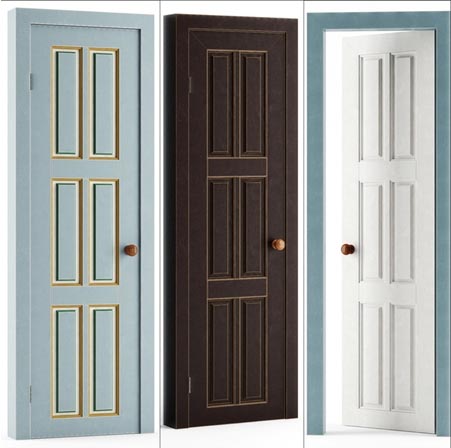
Restaurant Chocolate Door Set / Set doors Chocolate
On 21-Jan-22
by
Restaurant Chocolate Door Set / Set doors Chocolate MAX |...
Restaurant Chocolate Door Set / Set doors Chocolate MAX |...

Door Nova de Lucci Leonardo B
On 30-Mar-18
by
Door Nova de Lucci Leonardo B max | fbx | 3D Models | 27.6...
Door Nova de Lucci Leonardo B max | fbx | 3D Models | 27.6...
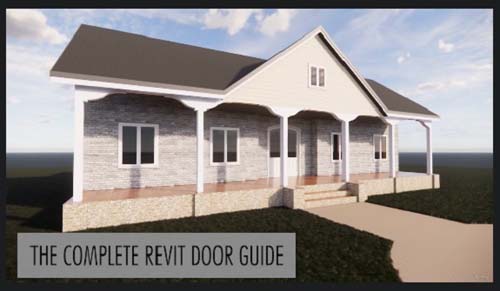
Udemy - The Complete Revit Door Guide
Duration 3h MP4
DOWNLOAD
Udemy - The Complete Revit Door Guide
Duration 3h MP4
Info:
Master creating custom doors in your BIM project.
What you'll learn
How to create and edit Revit Door families
How to develop Revit family plan, elevation and 3d views
How to add door plan swing and detail looks
How to add door hardware to Revit Families
How to create curtain wall doors
How to create double and sliding doors
How to create in place component doors
Requirements
Basic knowledge of Revit
Description
The Complete Revit Door Guide helps you master creating and editing custom doors in Revit. It helps beginners and intermediate learners alike with the skills and workflows to get the door design you like functioning and in your project.
In this course, I teach you with the basics of how to use Revit families, looking at each element important to making doors with easy to follow exercises and tutorial. We will setup each door design in an efficient workflow that captures the best setup to save time later, with error checking and good parametric structure to avoid problems later on.
What you will learn:
How to add and edit door families
How to add in place component doors
How to make custom parametric door profiles
How to add multi layered extrusion and sweeps
How to make curtain wall doors
How to make double doors, sliding doors
How to develop 2D and elevation door symbols
How to refine door families in model
How to integrate door materials
After this course, you should be set to create and edit any Revit project door to your specification and design.
If you want to be comprehensive in door design for your Revit projects, then this is the course for you, see you in the course!
Who this course is for:
Beginners and intermediate designers in Revit
DOWNLOAD HERE :
https://seekvn.com/file/d93a4f3b62855f1e88491df46408c681/UdemyTheCompleteRevitDoorGuide.part1.rar.html
https://seekvn.com/file/5cd9e3780aaa493510c4f3c7c6652695/UdemyTheCompleteRevitDoorGuide.part2.rar.html
https://seekvn.com/file/1e1b44a46ceda1a67df2ad461bb588d3/UdemyTheCompleteRevitDoorGuide.part3.rar.html
https://seekvn.com/file/8dc2006425638ab1a20e4795695a96b0/UdemyTheCompleteRevitDoorGuide.part4.rar.html

If link broken, comment under article, we will update it
Category: Tutorials
Information
Users of Guests are not allowed to comment this publication.