
The Gnomon Workshop - Introduction to Grooming with Ornatrix in Maya with Santhosh Koneru
cod2war
15-Mar-22
0
Related Articles
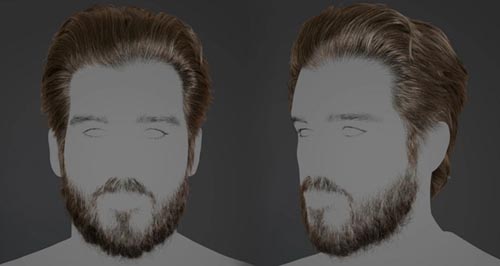
The Gnomon Workshop - Creating A Male Groom With XGen
On 04-Jan-22
by
The Gnomon Workshop - Creating A Male Groom With XGen...
The Gnomon Workshop - Creating A Male Groom With XGen...
The Gnomon Workshop - Creating Stylized Characters for Production
On 26-Jul-22
by
The Gnomon Workshop - Creating Stylized Characters for...
The Gnomon Workshop - Creating Stylized Characters for...
The Gnomon Workshop - Creating a Stylized Groom in Maya & Xgen - Tube Geometry Workflow with Bhav...
On 11-Aug-22
by
The Gnomon Workshop - Creating a Stylized Groom in Maya...
The Gnomon Workshop - Creating a Stylized Groom in Maya...
The Gnomon Workshop - Grooming in Yeti - Hair Solutions for an Animation Pipeline with Victor J G...
On 15-Aug-22
by
The Gnomon Workshop - Grooming in Yeti - Hair Solutions...
The Gnomon Workshop - Grooming in Yeti - Hair Solutions...

The Gnomon Workshop - Realistic Dog Grooming for Production with XGen with Jordan Soler
On 02-Apr-19
by
The Gnomon Workshop – Realistic Dog Grooming for...
The Gnomon Workshop – Realistic Dog Grooming for...
The Gnomon Workshop - Introduction to Grooming with Ornatrix in Maya with Santhosh Koneru
Duration 2h 49m MP4
DOWNLOAD
The Gnomon Workshop - Introduction to Grooming with Ornatrix in Maya with Santhosh Koneru
Duration 2h 49m MP4
Info:
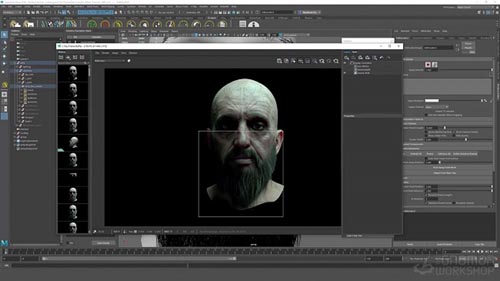
This introductory workshop reveals everything you need to know to create hair for both animated characters and still renders using Ornatrix in Maya. Santhosh Koneru, a 3D Generalist, details all the basics as well as the essential tools required to generate realistic hair for your 3D characters.
The focus of this video tutorial is on creating facial hair for a character that will eventually be animated. The workflow demonstrated can also be applied even if you only intend to render a still of your character for your portfolio.
Santhosh covers topics including the creation of Distribution Maps and Length/Thickness Maps using Substance Painter and shows how to extensively use Modifiers to match your hair groom with reference images. He shares shading techniques using the new V-Ray Hair Shader in V-Ray 5 for Maya and divulges tips for how to optimize your scenes for a CG cinematic project with additional advice on how to render projects on your home workstation. Santhosh also includes a quick overview of using dynamics in Ornatrix.
The goal of this workshop is to provide you with all the necessary knowledge of Ornatrix that you need to explore and create your own hairstyles for your 3D characters and creatures.
SOFTWARE USED
Ornatrix Maya V-Ray Substance Painter
DOWNLOAD HERE :
https://seekvn.com/file/563c22f1fb1832cc6642289ae9f30292/TheGnomonWorkshopIntroductiontoGroomingwithOrnatrixinMaya2022.part1.rar.html
https://seekvn.com/file/92d337bce6d32f831e2ef62fa1041b37/TheGnomonWorkshopIntroductiontoGroomingwithOrnatrixinMaya2022.part2.rar.html
https://seekvn.com/file/dae07b864ecbb868e9a6ae06b230fabc/TheGnomonWorkshopIntroductiontoGroomingwithOrnatrixinMaya2022.part3.rar.html
https://seekvn.com/file/8314bd8bcf17ec5cfdbb307cb6f6a377/TheGnomonWorkshopIntroductiontoGroomingwithOrnatrixinMaya2022.part4.rar.html

If link broken, comment under article, we will update it
Category: Tutorials
Information
Users of Guests are not allowed to comment this publication.