
Gumroad - Organic Weapon Design Tutorial v2.0
cod2war
25-Feb-22
0
Related Articles
![[Tutorials] Gumroad - Mech Design Chapters 1 & 2 by Michal Kus](http://i.imgur.com/iJ5hB08.jpg)
[Tutorials] Gumroad - Mech Design Chapters 1 & 2 by Michal Kus
On 07-Jan-16
by
Gumroad - Mech Design Chapters 1 & 2 by Michal Kus...
Gumroad - Mech Design Chapters 1 & 2 by Michal Kus...
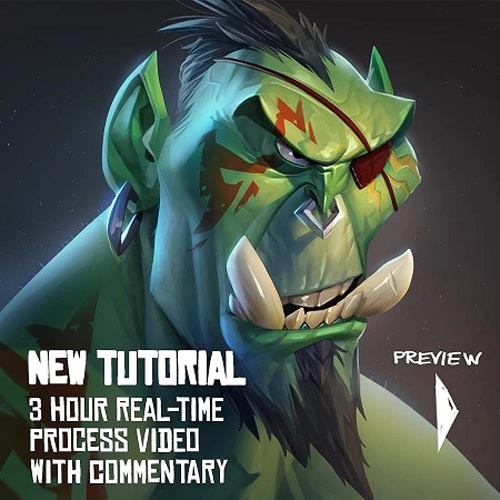
Gumroad - Orc Portrait by Max Grecke
On 21-Jan-22
by
Gumroad - Orc Portrait by Max Grecke Duration 3h Project...
Gumroad - Orc Portrait by Max Grecke Duration 3h Project...
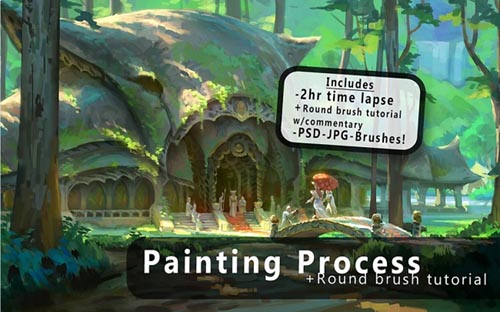
Gumroad – Round Brush Painting + Brush Tutorial By Jeremy Fenske
On 20-Nov-20
by
Gumroad – Round Brush Painting + Brush Tutorial By...
Gumroad – Round Brush Painting + Brush Tutorial By...

Gumroad - Visual Design Basics - Intro to Design by Alex Senecha
On 26-Feb-19
by
Gumroad – Visual Design Basics – Intro to Design by Alex...
Gumroad – Visual Design Basics – Intro to Design by Alex...
FlippedNormals - Creating a Full Character in Zbrush
On 02-Oct-22
by
FlippedNormals - Creating a Full Character in Zbrush...
FlippedNormals - Creating a Full Character in Zbrush...
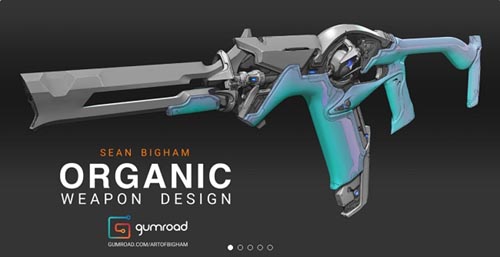
Gumroad - Organic Weapon Design Tutorial v2.0
Duration 7h Project Files Included MP4
DOWNLOAD
Gumroad - Organic Weapon Design Tutorial v2.0
Duration 7h Project Files Included MP4
Info:
"In this tutorial I will teach you my approach for concepting an Organic Weapon. This will cover my entire 2d and 3d workflow from brief to a final deliverable of a resolved design, ready to be sent to a 3D artist for production.
WHAT YOU GET:
- 7 hours of video content in total. This is the entire process from start to finish: Nothing is skipped! Demo consists of 40 hours of work sped up with voice over commentary added in post.
- Includes video presentations detailing the Brief, a Context Overview, discussions on breaking down Reference and Basic Design Theory as it relates to Organic Design.
- Includes a COMPLETE 2D and 3D Concept Workflow for Designing an Organic Weapon to the stage of a Production Ready Asset.
- All .PSD files, .Blend Files and .ZTLs are included (along with a trim brush I use for detailing), my pure ref file along with the final .png images.
- BONUS video Discussion with Lucas Hug (Former Associate Art Director and Weapons Lead at Digital Extremes)
** This is not a tutorial on how to model in either Zbrush or Blender but I will break down the tools I use and show you my entire process in these programs.
V2.0 - BONUS SECOND WEAPON PROCESS ADDED!!!
- Time lapse of Zbrush block out with no commentary (2 hours)
- An exploration of line art outputs from Keyshot then in Zbrush. This isn't a Tutorial but more of an experiment to see if these will work with this particular workflow. Real time with full audio commentary (1 hour)
- Time lapse of the Photoshop detailing stage: front 3/4, back 3/4 and side view (1 hour)
- Conclusion where I discuss the results of the experiments and the final completed concept
- All .PSD files, .PNGs and .ZTLs are Included."
DOWNLOAD HERE :
https://seekvn.com/file/1b06eeb151e380d419b394bfec56bdaf/GumroadOrganicWeaponDesignTutorialv2.0.part01.rar.html
https://seekvn.com/file/84766ce388c34245ef4b6504f38c4c87/GumroadOrganicWeaponDesignTutorialv2.0.part02.rar.html
https://seekvn.com/file/8e5a826de466e52db5563ca67aee256e/GumroadOrganicWeaponDesignTutorialv2.0.part03.rar.html
https://seekvn.com/file/6a936ea28c586711363127c557470258/GumroadOrganicWeaponDesignTutorialv2.0.part04.rar.html
https://seekvn.com/file/39221cc09f495f08a355714ffe70d3f6/GumroadOrganicWeaponDesignTutorialv2.0.part05.rar.html
https://seekvn.com/file/fc3aa210ef1713f4bfa8ef6d169b26d4/GumroadOrganicWeaponDesignTutorialv2.0.part06.rar.html
https://seekvn.com/file/fbda26691c3b3f13f7935cf2ba106fef/GumroadOrganicWeaponDesignTutorialv2.0.part07.rar.html
https://seekvn.com/file/e4400f9cbc42d66e7476d1aba73af7d9/GumroadOrganicWeaponDesignTutorialv2.0.part08.rar.html
https://seekvn.com/file/6bea159eee786777d34cb4b6c7579b32/GumroadOrganicWeaponDesignTutorialv2.0.part09.rar.html

If link broken, comment under article, we will update it
Category: Tutorials
Information
Users of Guests are not allowed to comment this publication.