
CGCircuit - FX MAYHEM 102 - Smokeless Fire & Flames
cod2war
25-Feb-22
0
Related Articles
CGCircuit - Advanced Particles 2 : Demon Fire Trails
On 25-Feb-22
by
CGCircuit - Advanced Particles 2 : Demon Fire Trails...
CGCircuit - Advanced Particles 2 : Demon Fire Trails...
cmiVFX - Houdini Flames and Fire
On 22-Jul-17
by
cmiVFX – Houdini Flames and Fire Duration 1h 11m MP4...
cmiVFX – Houdini Flames and Fire Duration 1h 11m MP4...
Low Poly Fire and Smoke
On 13-Jan-20
by
Low Poly Fire and Smoke UNITY | VFX | 727.67 KB ==========...
Low Poly Fire and Smoke UNITY | VFX | 727.67 KB ==========...
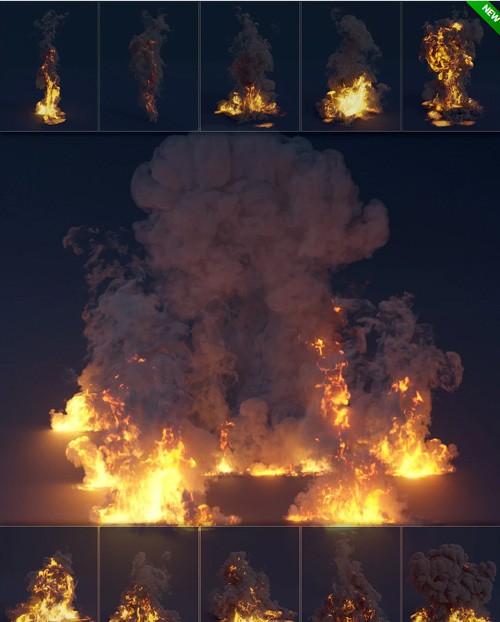
Pro Pyro - Fire and Flame VDBs
On 06-Mar-24
by
Pro Pyro - Fire and Flame VDBs Detail link: Details Pro...
Pro Pyro - Fire and Flame VDBs Detail link: Details Pro...

Phlearn – How to Add Fire Effects in Photoshop
On 29-Jan-21
by
Phlearn – How to Add Fire Effects in Photoshop Duration...
Phlearn – How to Add Fire Effects in Photoshop Duration...
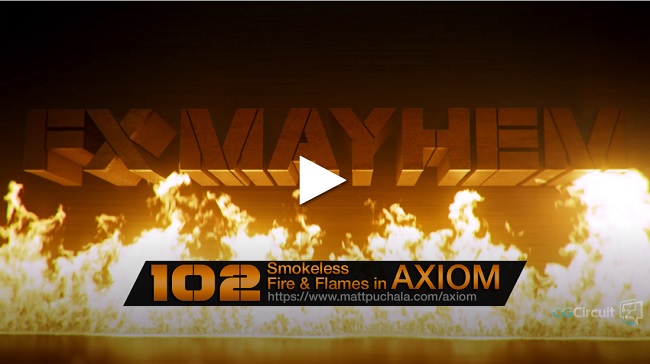
CGCircuit - FX MAYHEM 102 - Smokeless Fire & Flames
Duration 7h 46m Project Files Included MP4
DOWNLOAD
CGCircuit - FX MAYHEM 102 - Smokeless Fire & Flames
Duration 7h 46m Project Files Included MP4
Info:
This production oriented course will teach you how to get realistic looking fire & flames with very simple and easy to understand methods.
After briefly going through some theory, we are diving right in and create 3 example simulations, a Torch Flame, a Logo Floor Fire and Hammer Fire for our good old test geometry friend, Houdini's Crag. We going to develop the look with the first example, extend the complexity with a spreading fire simulation in the second example and create a fairly complex fire simulation in the Crag example including the floor catching automatically on fire and a little shockwave. After the simulation chapters, the course splits into two possible paths, one for Mantra Rendering and the other preferred Redshift 3D GPU Rendering. And last but not least, I am going to show you how to composite and post process the rendered results and what custom tricks to use to make the fire look really good! This course contains about 8 hours of content and is supposed to go over multiple days.
Disclaimer: Please bring patience when it comes to rendering, especially Mantra Rendering!!! I am giving you the same settings I use in real world production renderings (Redshift3D) and a good amount of GPU render power is required for a fast result!
DOWNLOAD HERE :
https://seekvn.com/file/81fbc804fc516ead70ae9618b7ee1d08/CGCircuitFXMAYHEM102SmokelessFireFlames.part1.rar.html
https://seekvn.com/file/1ce6906ac47e8ae10edab670bbcec6d3/CGCircuitFXMAYHEM102SmokelessFireFlames.part2.rar.html
https://seekvn.com/file/101d3db7da7ab646e70edf6b973a4f91/CGCircuitFXMAYHEM102SmokelessFireFlames.part3.rar.html
https://seekvn.com/file/36835c5d8232e074efdb54946677c39b/CGCircuitFXMAYHEM102SmokelessFireFlames.part4.rar.html

If link broken, comment under article, we will update it
Category: Tutorials
Information
Users of Guests are not allowed to comment this publication.