
Glistening Droplets for Genesis 9
BBlK
12-Feb-24
0
Related Articles
Glistening Droplets
On 09-Nov-23
by
Glistening Droplets Detail link: The product consists of a...
Glistening Droplets Detail link: The product consists of a...
Wet Body Iray Genesis 9
On 08-Mar-24
by
Wet Body Iray Genesis 9 Detail link: Wet Body Iray Genesis...
Wet Body Iray Genesis 9 Detail link: Wet Body Iray Genesis...
SY Sweat Kit Genesis 9
On 29-Dec-25
by
SY Sweat Kit Genesis 9 is a versatile add-on designed to...
SY Sweat Kit Genesis 9 is a versatile add-on designed to...
Easy Capri 4 for Genesis 8 and 8.1 Female
On 02-Mar-24
by
Easy Capri 4 for Genesis 8 and 8.1 Female Detail link:...
Easy Capri 4 for Genesis 8 and 8.1 Female Detail link:...
Easy Shorts 4 for Genesis 8 and 8.1 Female
On 28-Feb-24
by
Easy Shorts 4 for Genesis 8 and 8.1 Female Detail link:...
Easy Shorts 4 for Genesis 8 and 8.1 Female Detail link:...
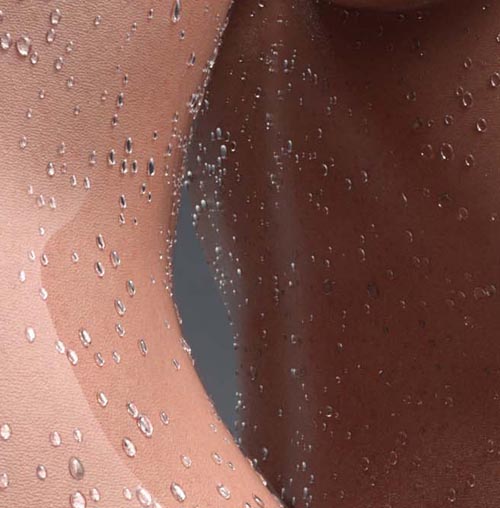
Glistening Droplets for Genesis 9
The product consists of a water drop-shaped geometry designed to simulate water droplets on the skin.
5 types of water droplets wearable presets with vertices from 211k to 1542k.
2 types of long water strips on the skin.
2 Geometry Shell presets for Genesis 9 Male / Female, with/without "Genesis 9 Anatomical Elements Male"/
"Genesis 9 Anatomical Elements Female".
These 2 Geometry Shell presets are separated from the water droplet wearables, trying to
simulate a glossy shiny effect on the skin.
For Genesis 9 figures with other Geometry grafted on the figure,(Anatomical parts etc) try the following steps:
1. Apply the parts grafted on the figure ( Anatomical parts etc).
2. Select the figure, and click "Create - New Geometry Shell".
3. Select the created Geometry Shell on the figure, in the "Surface" panel, select the body parts where you want to apply the water shader (body, arm, head, anatomical parts, etc).
4. click the "ShellShader" in the GeoShell folder, or, you can apply the default "Water" Shader from
DS "DAZ Uber" folder.
5. In the "Surface" panel with parts of the body selected, select "Cutout Opacity", and change the value you want from
0-1. The "ShellShader" in the GeoShell folder has an Opacity value of 0.3.
The water droplets with a Glossy Reflectivity value of 0.5, a Refraction Index of 1.33, and a Refraction Weight of 1.00. You can manually change those with different light settings.
Water Droplets are in 2 material groups: Face and Body. You can select the Face part and change the "Cutout Opacity" value to 0 to make it disappear on the face.
https://www.renderotica.com/store/sku/69059_Glistening-Droplets (Note: NSFW images)
Warning! You are not allowed to view this text.
DOWNLOAD
You must login to show this link. No account? Create Account Category: AdultsInformation
Users of Guests are not allowed to comment this publication.