
JMR dForce Alain Houppelande G9M
PhuongThao85
14-Dec-23
0
Related Articles
JMR dForce Severina Outfit for G8F
On 18-Oct-24
by
JMR dForce Severina Outfit for G8F Detail link: This is a...
JMR dForce Severina Outfit for G8F Detail link: This is a...
JMR dForce Lenka Jumpsuit for G8F
On 17-Aug-25
by
JMR dForce Lenka Jumpsuit for G8F Detail link: This is a...
JMR dForce Lenka Jumpsuit for G8F Detail link: This is a...
JMR dForce Tamara Bodysuit for G8F
On 17-Aug-25
by
JMR dForce Tamara Bodysuit for G8F Detail link: This is a...
JMR dForce Tamara Bodysuit for G8F Detail link: This is a...
JMR dForce Danielle Bodysuit for G8F
On 17-Aug-25
by
JMR dForce Danielle Bodysuit for G8F Detail link: This is...
JMR dForce Danielle Bodysuit for G8F Detail link: This is...
JMR dForce Corinne Corset for G8F
On 17-Aug-25
by
JMR dForce Corinne Corset for G8F Detail link: This is a...
JMR dForce Corinne Corset for G8F Detail link: This is a...
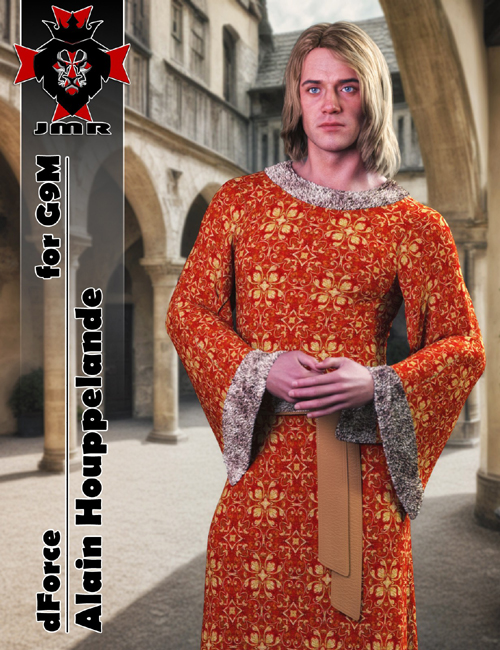
JMR dForce Alain Houppelande G9M
Detail link: https://www.renderosity.com/marketplace/products/162404
This is a Houppelande.
Outfit includes 1 part: Houppelande.
Installation & Usage Instructions:
To make sure all content gets installed properly, unzip the files directly to your DAZ Studio library.
For example: "DAZ Studio/My Library" or "DAZ Studio/Content"
1 Load Genesis 9.
2 Go to People -> Genesis 9-> Clothing -> JMR dForce Alain Houppelande.
3 Load the clothing by double-clicking on the outfit parts.
4 Material Presets are located in "Iray Materials" within the outfit parent directory.
Warning! You are not allowed to view this text.
DOWNLOAD
You must login to show this link. No account? Create Account Category: RenderosityInformation
Users of Guests are not allowed to comment this publication.