
Visibility Helper
dForce Holiday Helper Set for G8F Detail link: dForce...
MB Skin Transfer Helper Detail link: Warning! You are not...
Wardrobe Helper Detail link: Warning! You are not allowed...

Little Helper Robot Detail link: Warning! You are not...
Ultimate Simulation Visibility Detail link: Warning! You...
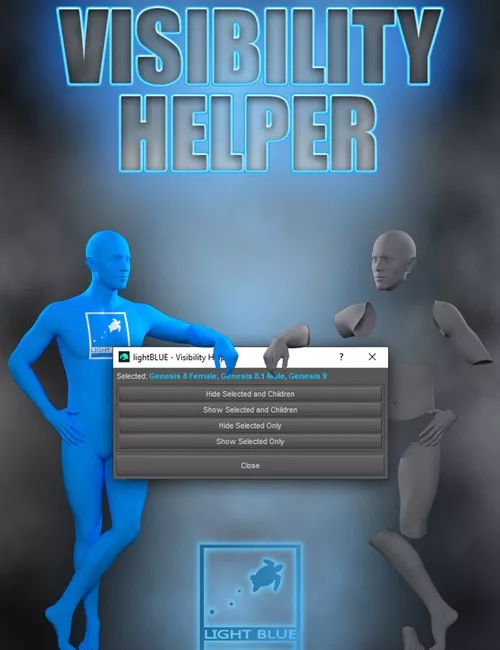
"Visibility Helper" is a simple solution for node visibility manipulation in DazStudio.
The script offers four options: "Hide Selected and Children", "Show Selected and Children", "Hide Selected Only", and "Show Selected Only".
It can be used on any figure, and it allows you to select multiple figures at the same time.
The script opens a simple non-modal dialog so that you can select the figures while the script window is open.
The purpose of this tool is to speed up the workflow. We all hate it when we want to switch off the visibility of a figure, and then we have to also click the
"eye" icon on every child node (eyes, eyebrows, mouth, eyelashes, clothes, or any other child nodes) separately.
With the Visibility Helper, you can do that with one click, and you can be sure that all the child nodes are switched off and nothing is left hanging in the air.
Simply select one or more figures in the scene, click the option that you want, and it's done.
It is designed for all DazStudio users, it's very easy to use, even if you don't have too much experience!
This product comes with an additional script that you can run once, and it will add the "Visibility Helper" to your "Main" toolbar so you don't have to add it manually.
Having this tool in the toolbar will allow easy and fast access whenever you need it.
SUPPORT LINK
https://www.renderhub.com/lightblue/visibility-helperDOWNLOAD
