
Frenden - Photoshop inking brushes
cod2war
17-Dec-18
0
Related Articles

Gumroad - Shiyoon's Photoshop Ink Brush Set
On 27-Mar-18
by
Gumroad – Shiyoon’s Photoshop Ink Brush Set...
Gumroad – Shiyoon’s Photoshop Ink Brush Set...
![[Plugins] RM Photoshop Brush Collection](http://i.imgur.com/ZX7cZ8t.jpg)
[Plugins] RM Photoshop Brush Collection
On 27-Apr-16
by
RM Photoshop Brush Collection...
RM Photoshop Brush Collection...
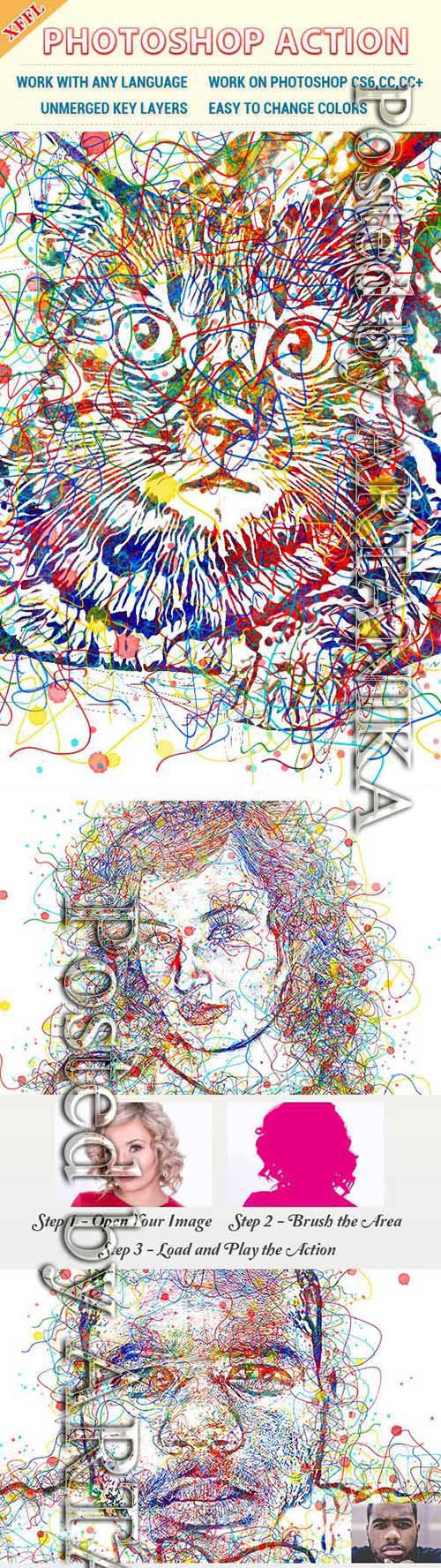
Watercolor Line Photoshop Action 23492662
On 18-Jun-19
by
Watercolor Line Photoshop Action 23492662 ATN | ABR | PAT...
Watercolor Line Photoshop Action 23492662 ATN | ABR | PAT...
![[Plugins] Corel ParticleShop 1.1.0.553 For Photoshop & Lightroom](http://i.imgur.com/iyHTfiG.jpg)
[Plugins] Corel ParticleShop 1.1.0.553 For Photoshop & Lightroom
On 24-Nov-15
by
Corel ParticleShop 1.1.0.553 For Photoshop & Lightroom...
Corel ParticleShop 1.1.0.553 For Photoshop & Lightroom...
[Tutorials] Corel ParticleShop 1.1.0.553 For Photoshop & Lightroom
On 29-Jan-16
by
Corel ParticleShop 1.1.0.553 For Photoshop & Lightroom...
Corel ParticleShop 1.1.0.553 For Photoshop & Lightroom...

Frenden – Photoshop inking brushes
DOWNLOAD
Info:
Photoshop doesn’t do well at interpreting light tablet pressure. Making thick-to-thin strokes requires a lot more care and deliberate line control than would even be necessary with an analog sable brush and real ink. It blows out pressure at the low end leaving feathered lines difficult to create.
BLOB. Line. Line. Line. BLOB.
You get the idea. Since around the time of the Photoshop CS6 Beta, I’ve attempted to create a brush that combats these shortcomings by dropping out some of the lowest pressure mark-making with a combination of flow and texture settings.
The result is a brush that, while not 100% opaque at the lightest marks, provides a hell of a lot more fidelity and control. To my knowledge, no one else has used this technique to create inking tools. The response from peers who’ve tested the set has been unanimously positive.
Pointy tip. Line. Line. Line. Pointy tip.
COMPATIBLE WITH PHOTOSHOP CS5 & CS6.

If link broken, comment under article, we will update it
Category: Photoshop
Related Articles
Gumroad - Shiyoon's Photoshop Ink Brush Set
On 27-Mar-18
by
Gumroad – Shiyoon’s Photoshop Ink Brush Set...
Gumroad – Shiyoon’s Photoshop Ink Brush Set...
[Plugins] RM Photoshop Brush Collection
On 27-Apr-16
by
RM Photoshop Brush Collection...
RM Photoshop Brush Collection...
Watercolor Line Photoshop Action 23492662
On 18-Jun-19
by
Watercolor Line Photoshop Action 23492662 ATN | ABR | PAT...
Watercolor Line Photoshop Action 23492662 ATN | ABR | PAT...
[Plugins] Corel ParticleShop 1.1.0.553 For Photoshop & Lightroom
On 24-Nov-15
by
Corel ParticleShop 1.1.0.553 For Photoshop & Lightroom...
Corel ParticleShop 1.1.0.553 For Photoshop & Lightroom...
[Tutorials] Corel ParticleShop 1.1.0.553 For Photoshop & Lightroom
On 29-Jan-16
by
Corel ParticleShop 1.1.0.553 For Photoshop & Lightroom...
Corel ParticleShop 1.1.0.553 For Photoshop & Lightroom...
Information
Users of Guests are not allowed to comment this publication.