
[Tutorials] Kinetic Typography in Powerpoint: Make an Animation Video
phuongdzu
11-Aug-15
0
Related Articles
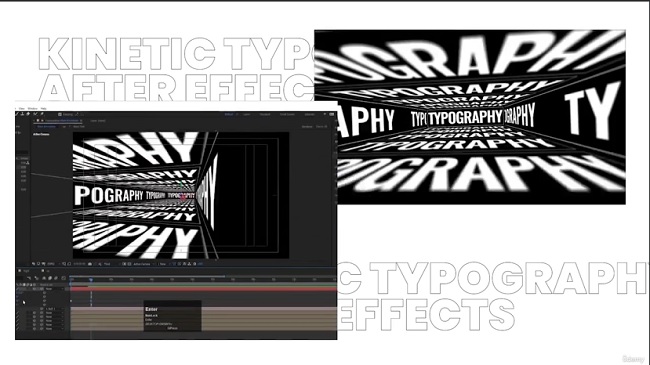
Udemy – Kinetic Typography in After Effects: Motion Graphics Course (2023)
On 06-Sep-23
by
Udemy – Kinetic Typography in After Effects: Motion...
Udemy – Kinetic Typography in After Effects: Motion...
![[Tutorials] Animation in Photoshop: Create an Amazing Motion Typography](http://i74.fastpic.ru/big/2016/0404/7e/e3ec0d18b1ad70c545425a2a90e0aa7e.jpg)
[Tutorials] Animation in Photoshop: Create an Amazing Motion Typography
On 04-Apr-16
by
Animation in Photoshop: Create an Amazing Motion...
Animation in Photoshop: Create an Amazing Motion...

Videohive - Kinetic Typography | After Effects - 47731738
On 03-Sep-23
by
Videohive - Kinetic Typography | After Effects - 47731738...
Videohive - Kinetic Typography | After Effects - 47731738...

Motion Typography in Photoshop: Learn the basics
On 01-Jun-16
by
Motion Typography in Photoshop: Learn the basics Duration:...
Motion Typography in Photoshop: Learn the basics Duration:...

Videohive - Kinetic Typography Titles 36273219
On 06-Mar-22
by
Videohive - Kinetic Typography Titles 36273219 Version...
Videohive - Kinetic Typography Titles 36273219 Version...
![[Tutorials] Kinetic Typography in Powerpoint: Make an Animation Video](http://i.imgur.com/aO7maGW.jpg)
Kinetic Typography in Powerpoint: Make an Animation Video
51mins | Video: AVC (.mp4) 1280x720 15fps | Audio: AAC 48KHz 2ch | 142Mb
Genre: eLearning | Language: English
DOWNLOAD
Use PowerPoint 2013 As Your Video Editing Tool To Create Awesome Kinetic Typography Animations in just 1 hour!
Use PowerPoint as Your video editing software and start making beautiful kinetic typography videos that will make the message You have to share with Your audience much more entertaining to watch.
This Design Course Will Teach You How To Make Kinetic Typography Videos in PowerPoint!
You will enhance your graphic design skills
You will use rarely known PPT techniques
Synchronize a voice over to a animation
Learn to make custom transitions between slides
It will take you less than 1h to complete!
PowerPoint allows you to export presentations as videos which you should use to Your advantage. With help of that you can prepare promo videos, animation sequences, content for YouTube, a clip for a music video and get creative the way you always wanted, all with help of this detailed walkthrough on how to make kinetic typography videos using only PowerPoint! I will take you by hand and start with a empty presentation file until we have a ready to export finished animation sequence.
Home Page - https://www.udemy.com/powerpoint-kinetic-typography/

If link broken, comment under article, we will update it
Category: Photoshop
Related Articles
Udemy – Kinetic Typography in After Effects: Motion Graphics Course (2023)
On 06-Sep-23
by
Udemy – Kinetic Typography in After Effects: Motion...
Udemy – Kinetic Typography in After Effects: Motion...
[Tutorials] Animation in Photoshop: Create an Amazing Motion Typography
On 04-Apr-16
by
Animation in Photoshop: Create an Amazing Motion...
Animation in Photoshop: Create an Amazing Motion...
Videohive - Kinetic Typography | After Effects - 47731738
On 03-Sep-23
by
Videohive - Kinetic Typography | After Effects - 47731738...
Videohive - Kinetic Typography | After Effects - 47731738...
Motion Typography in Photoshop: Learn the basics
On 01-Jun-16
by
Motion Typography in Photoshop: Learn the basics Duration:...
Motion Typography in Photoshop: Learn the basics Duration:...
Videohive - Kinetic Typography Titles 36273219
On 06-Mar-22
by
Videohive - Kinetic Typography Titles 36273219 Version...
Videohive - Kinetic Typography Titles 36273219 Version...
Information
Users of Guests are not allowed to comment this publication.