
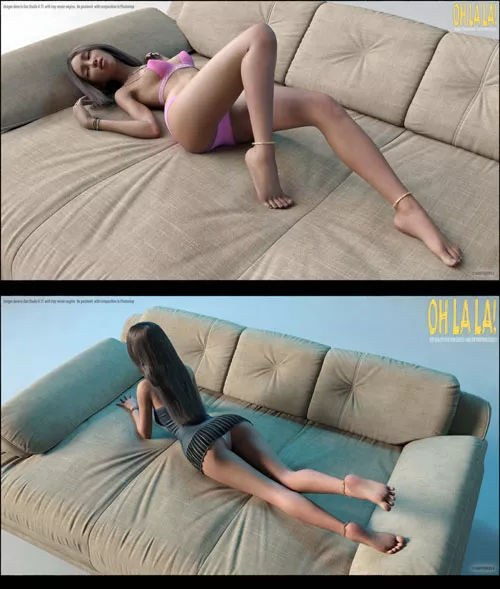
Oh La La! - Poses for Genesis 9
Passing Pleasure 3 - Poses Expressions for Genesis 8 and...
Flirty 2 - Poses for Genesis 9 Detail link: Flirty 2 -...
Passing Pleasure 2 - Poses Expressions for Genesis 8 and...
Blush - Sexy Poses for Genesis 9 Detail link: Blush - Sexy...
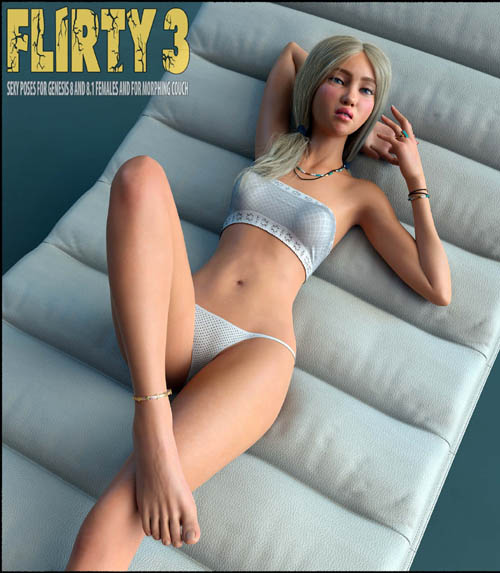
Flirty 3 - Poses and Expressions for Genesis 8 and 8.1...
System Requirements:
PC/MAC, Daz Studio 4.15 or up
Product requirements:
Genesis 9 from Daz3d
Optional:
Morphing Couch 2 for Daz Studio
morphing-couch-2-fro-daz-studio
Optional:
Happy Bunny figure for Daz Studio
happy-bunny-hd-figure-for-daz-studio-1
------------------------------------------------------------------------------------------------------------------------------------------------------------
"Oh La La! - Poses for Genesis 9" - Hi quality, Poses, designed for Genesis 9 Feminine and for Morphing Couch and Chair Figures!
------------------------------------------------------------------------------------------------------------------------------------------------------------
Included In This Package:
20 STANDALONE POSES FOR GENESIS 9
20 STANDALONE MIRRORED POSES FOR GENESIS 9
20 POSES FOR G9 MADE FOR USAGE WITH WITH MORPHING COUCH 2 PRODUCT
20 POSES FOR THE COUCH AND CHAIR - FROM "MORPHING COUCH 2" PRODUCT
01 MORPHING BOOK PROP - POSE FOR MORPHING BOOK ALSO INCLUDED
02 POSES FOR "HAPPY BUNNY HD FIGURE" PRODUCT
ZERO POSES AND EXPRESSIONS FOR G9 FIGURE AND FOR COUCH AND CHAIR FIGURES
ALL MORPHS FOR THE COUCH, CHAIR AND FOR HAPPY BUNNY INCLUDED IN SEPARATE ZIP
--------------------------------------
INSTALLATION INSTRUCTIONS:
Unzip into your Daz Studio Content directory; make sure "use folder names" option is checked.
--------------------------------------
I would like to read your reviews!!!
USAGE!
* All Poses adjusted for Genesis 9 base Feminine with default Shapes.
If your figure having different shapes, you will need to adjust G9 body parts and Couch or Chair settings manually.
GENESIS9 STANDALONE POSES USAGE:
1. Load and then select your G9 character into scene.
2. Turn limits Off.
3. Go to your library - People:Genesis 9:Poses:sagittarius a:Oh La La:Standalone: and double click any icons here.
GENESIS 9 WITH MORPHING COUCH AND CHAIR FIGURES, AND WITH HAPPY BUNNY HD FIGURE USAGE:
Before usage, you should get and install Morphing Couch 2 for Daz Studio, and Happy Bunny HD Figure for Daz Studio:
morphing-couch-2-fro-daz-studio
happy-bunny-hd-figure-for-daz-studio-1
Before usage, make sure, that you extracted files from "Morps-for-HappyBunny-and-Morphing-Couch-2.zip" archive into your Daz Studio library.
1. Load your G9 character into scene.
2. Set Mesh Resolution to "High Resolution" with SubDivision Level 2
3. Turn limits Off.
4. Make sure, that nothing in scene selected, and load Morphing Couch 2 items into scene:
Go to your library - Environments:sagittarius a:Morphing Couch 2: and double click what you need - "Couch" icon or "Chair" icon.
5. Load MORPHING BOOK prop if you need this.
Select your Genesis 9. Go to your library -
People:Genesis 9:Poses:sagittarius a:Oh La La:Full:Props: and double click "Book" icon.
6. Applying poses for Genesis 9, For the Couch, the Chair, Book prop, and for Happy Bunny Figure. You should apply these poses, as on examples below.
Example for pose 06:
Go to People:Genesis 9:Poses:sagittarius a:Oh La La:Full:
Select your Genesis 9, and double click "06" icon
Select "COUCH" figure, and double click "06-Couch" icon.
Select Book prop, and double click "06-Book" icon.
Example for pose 09:
Load Happy Bunny Figure from your library: Props:Happy Bunny: and click "Happy Bunny" icon
Select your Genesis 9, and double click "09" icon
Select "CHAIR" figure, and double click "09-Chair" icon.
Select Happy Bunny, and double click "09-Happy-Bunny" icon.
That's All! :) Have a great renders!
Detail: https://www.renderhub.com/sagittarius-a/oh-la-la-poses-for-genesis-9
DOWNLOAD HERE:
DOWNLOAD

Passing Pleasure 3 - Poses Expressions for Genesis 8 and...
Flirty 2 - Poses for Genesis 9 Detail link: Flirty 2 -...
Passing Pleasure 2 - Poses Expressions for Genesis 8 and...
Blush - Sexy Poses for Genesis 9 Detail link: Blush - Sexy...
Flirty 3 - Poses and Expressions for Genesis 8 and 8.1...