
Tryna Character Body and Head Morphs for Genesis 8 Female
BBlK
18-Dec-24
0
Related Articles
Krissy Character Body and Head Morphs for Genesis 8 Female
On 12-Jan-25
by
Krissy Character Body and Head Morphs for Genesis 8 Female...
Krissy Character Body and Head Morphs for Genesis 8 Female...
Lune Character Body and Head Morphs for Genesis 8 Female
On 23-Nov-25
by
Lune Character Body and Head Morphs for Genesis 8 Female...
Lune Character Body and Head Morphs for Genesis 8 Female...
Thea Character Body and Head Morphs for G8F and G8.1F
On 01-Jun-25
by
Thea Character Body and Head Morphs for G8F and G8.1F...
Thea Character Body and Head Morphs for G8F and G8.1F...
Amy Character Body and Head Morphs for Genesis 8 Female
On 04-Mar-25
by
Amy Character Body and Head Morphs for Genesis 8 Female...
Amy Character Body and Head Morphs for Genesis 8 Female...
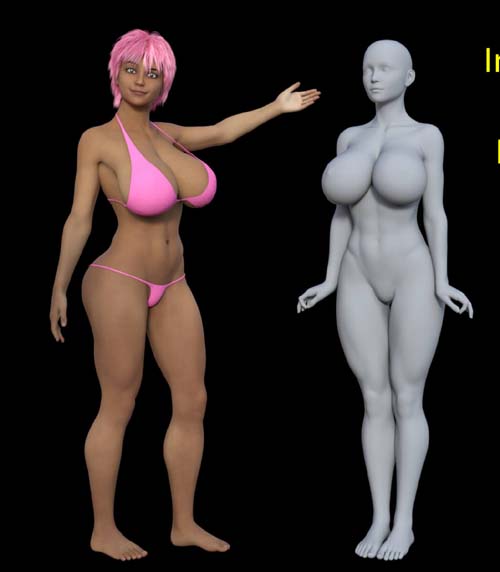
Mayerlin Character Body and Head Morphs for G8F and G8.1F
On 21-Dec-24
by
Mayerlin Character Body and Head Morphs for G8F and G8.1F...
Mayerlin Character Body and Head Morphs for G8F and G8.1F...
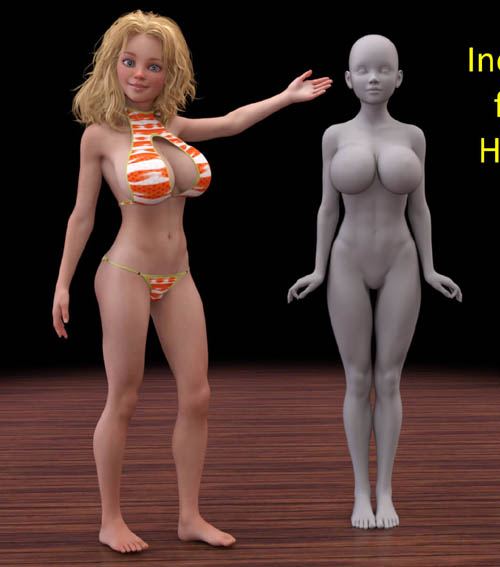
Tryna Character Body and Head Morphs for Genesis 8 Female
Detail link: https://www.renderhub.com/bikdingle/tryna-character-body-and-head-morphs-for-genesis-8-female
Tryna Character Body and Head Morphs for G8F and G8.1F
Tryna is the most recent elf character I made for my cast of elf characters. Her proportions are supposed to be more elf like than human (she’s slim and her head and eyes are slightly larger proportionally).
As an elf I use my elf ears which are available at RenderHub in my store for free.
You of course can use Tryna in any way you see fit and make her with whatever skin, eyes and hair you desire. What is contained here is simply the way I build the character in her normal, everyday form. One of the advantages of a complete morph is that I can experiment (as can you) with Tryna having many different potential appearances.
System Requirements:
PC/MAC, Daz Studio
Product requirements:
Daz Studio 4.10
Nvidia Iray
Genesis 8 female or Genesis 8.1 female
To install:
Unzip into your Daz3D directory, either the program folder or your "My Library" folder.
To Use:
This product contains only a head and body morph for my character Tryna.
It does not include materials, hair or clothing.
This product includes a PDF which outlines the other products I use for my version of the character, Skin, Eyes and Hair.
You can of course make her however you wish or dial her in part way for the character you want her to be.
Using the morphs
You will find apply icons for a Full Tryna Apply to your G8F/G8.1F figure and separate apply icons for her head and body in
People >> characters >> bikdingle >> Tryna G8
There are also ‘remove’ icons for each option as well.
If you want to work the sliders and not apply the character at 100% you will find the sliders in the Parameters Tab under
Morphs >> Bikdingle >>> Tryna G8
Warning! You are not allowed to view this text.
DOWNLOAD

If link broken, comment under article, we will update it
Category: Other Vendors
Information
Users of Guests are not allowed to comment this publication.