
Aya GooCals - gooey facial decals
Related Articles
Expressions and Face aniBlocks for Genesis 9
On 23-Jan-24
by
Expressions and Face aniBlocks for Genesis 9 Detail link:...
Expressions and Face aniBlocks for Genesis 9 Detail link:...
Shortly B4 - Solo Poses for GF8 / GF8.1
On 28-Sep-23
by
Shortly B4 - Solo Poses for GF8 / GF8.1 Detail link:...
Shortly B4 - Solo Poses for GF8 / GF8.1 Detail link:...
Cubebrush - 2D Jungle Coast Tile Set and Decals
On 14-Sep-19
by
Cubebrush – 2D Jungle Coast Tile Set and Decals...
Cubebrush – 2D Jungle Coast Tile Set and Decals...
Expressions and Face aniBlocks for Genesis 8.1 Males
On 28-Jan-24
by
Expressions and Face aniBlocks for Genesis 8.1 Males...
Expressions and Face aniBlocks for Genesis 8.1 Males...
BackSightz - Solo Poses for GF8 / GF8.1
On 06-Nov-23
by
BackSightz - Solo Poses for GF8 / GF8.1 Detail link:...
BackSightz - Solo Poses for GF8 / GF8.1 Detail link:...
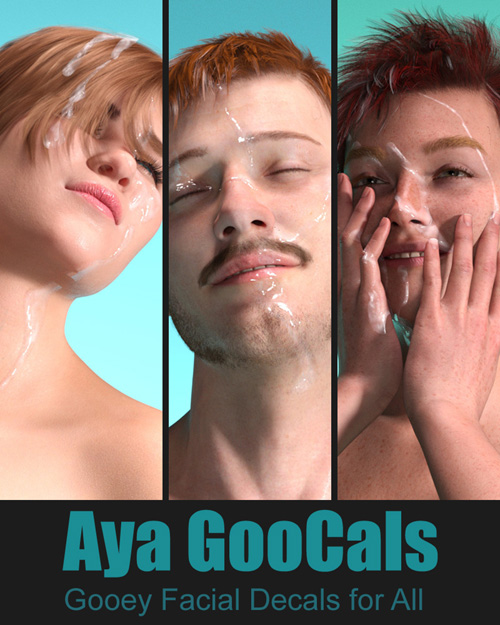
Aya GooCals - gooey facial decals
Detail link: https://www.renderotica.com/store/sku/67179_Aya-GooCals-gooey-facial-decals
GooCals - Goo(ey) (De)Cal S(haders)- are a nice and easy way to create your own facial or face bukkake scenes. You can use the GooCals included in this package individually or combine them.
Please note: Iray is a must for Decals - and the more Iray power, the more fun you'll have. If you have never worked with Decals, you can test your PC. For this I have built a small test environment that you can download for free. This is part of the "Aya GooCals" online manual. How to find and open it is explained at the bottom of this page.
The "Aya GooCals" project contains:
9 Drop / Blotch GooCals, each with 4 variations from "Clear" to "Solid"
8 Jet / Squirt GooCals, each with 4 variations from "Clear" to "Solid"
4 large, squirt-like GooCals, each with 5 variations from "Clear" to "Solid"
3 different face bukkake presets, each with 6 variations
1 Light Setup Scene in 3 color variants (Iray only!)
The installation can be done with DIM or manually and is explained with screenshots in the online manual.
How to open the online manual:
Visit my renderotica profile https://www.renderotica.com/artists/pushee-ri.aspx
open my website, scroll down to the "Manuals" section and click on the online manual you want.
Warning! You are not allowed to view this text.
Information
Users of Guests are not allowed to comment this publication.