
Anamorphic Depth of Field for Cinematics
BBlK
15-Nov-23
0
Related Articles
GraphicRiver - Depth of Field Blur Effect 23443735
On 27-Mar-19
by
GraphicRiver - Depth of Field Blur Effect 23443735 ATN...
GraphicRiver - Depth of Field Blur Effect 23443735 ATN...
3ds Max and Vray Tips and Tricks - Create a 360 Render for VR, Depth of Field and Smart Objects
On 01-Aug-17
by
3ds Max and Vray Tips and Tricks – Create a 360 Render for...
3ds Max and Vray Tips and Tricks – Create a 360 Render for...
DoF Pro v5.1 For Adobe Photoshop
On 23-May-21
by
DoF Pro v5.1 For Adobe Photoshop ========== Info: DOF PRO...
DoF Pro v5.1 For Adobe Photoshop ========== Info: DOF PRO...
Basic Depth Map Maker for Daz Studio
On 02-Jan-24
by
Basic Depth Map Maker for Daz Studio Detail link: A depth...
Basic Depth Map Maker for Daz Studio Detail link: A depth...
UltraHD Iray HDRI With DOF - Holliday Houses
On 01-Oct-23
by
UltraHD Iray HDRI With DOF - Holliday Houses Detail link:...
UltraHD Iray HDRI With DOF - Holliday Houses Detail link:...
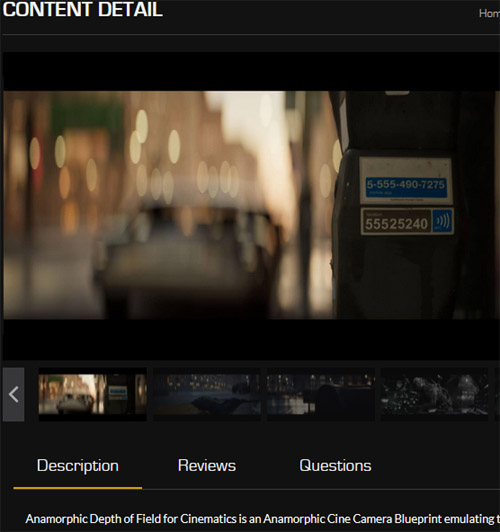
Anamorphic Depth of Field for Cinematics
Detail link: https://unrealengine.com/marketplace/en-US/product/anamorphic-depth-of-field-for-cinematics
Anamorphic Depth of Field for Cinematics is an Anamorphic Cine Camera Blueprint emulating the Depth of Field of an Anamorphic Lens.
With Bokeh customization options, you can choose between a few different combinations of attributes.
Example and Tutorial Here(Updated): https://www.youtube.com/watch?v=2c0vKss-4RE
Example of Depth Sample Rejection added on the 27th April: https://www.youtube.com/watch?v=xgCbfT65dJk
New Features added in version 8: https://youtu.be/S2yFBnt7_t8
The Depth of Field component is a custom DOF blur written in HLSL, and is physically based, meaning focus values are equivalent to standard Unreal Cine Camera Depth of Field settings.
This is intended for use in Cinematic Renders through the Movie Render Queue at 100% screen percentage, It it possible to use this in a real time situation but due to the TemporalAA jitter baked into the scene color in the post process material chain you may see some flickering on thin or distance details when out of focus. In this case you can use the "After Tonemapping" version of the material that is included but it will look less lively in terms of bokeh.
Warning! You are not allowed to view this text.
DOWNLOAD
You must login to show this link. No account? Create Account Category: Other VendorsInformation
Users of Guests are not allowed to comment this publication.