
Bloop Animation – Maya Animation Course
Admin2
05-Jul-21
0
Related Articles
Skillshare - Maya for Beginners 3D Modelling Rigging and Animation
On 07-Aug-21
by
Skillshare - Maya for Beginners 3D Modelling Rigging and...
Skillshare - Maya for Beginners 3D Modelling Rigging and...
Bloop Animation – Blender Animation Course
On 04-Jan-21
by
Bloop Animation – Blender Animation Course ==========...
Bloop Animation – Blender Animation Course ==========...
Bloop Animation - After Effects Animation
On 26-Jul-21
by
Bloop Animation - After Effects Animation Duration 5h 20m...
Bloop Animation - After Effects Animation Duration 5h 20m...
Bloop Animation – Moho Animation
On 20-Jul-21
by
Bloop Animation – Moho Animation ========== Info: We’re...
Bloop Animation – Moho Animation ========== Info: We’re...
Skillshare – Beginner Maya Character Animation: Unleash Your Superhero Potential!
On 19-Sep-20
by
Skillshare – Beginner Maya Character Animation: Unleash...
Skillshare – Beginner Maya Character Animation: Unleash...
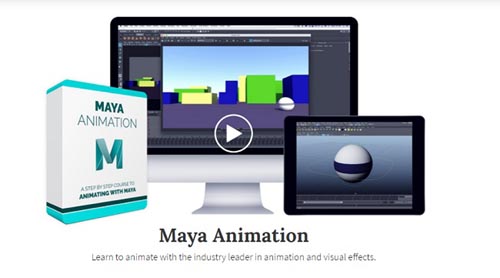
Bloop Animation – Maya Animation Course
==========
Info:
Made for Animators
We’ve designed this course to be tailored specifically for aspiring animators, or professional animators transitioning from a different program. We’ve been working with Maya for years. Both in the commercial world and in our own films. It is the industry standard for 3D animation, so if you’re planning on getting into the animation industry, this is the best place to start.
Interface
We’ll start by going over the Maya interface and understand how to work with different layouts, scenes and how to select and manipulate objects.
Animation Basics
We’ll go over different animation tools and methods, keyframing, interpolation types and even using the graph editor.
Setting Up for Animation
After learning our way around Maya, we’ll create a new scene and import a rig. We’ll learn how to use that rig, as well as how to work with cameras.
Animating a Shot
After our scene is ready for animation, we’ll sketch our poses with the grease pencil, block our shot and polish it until it’s ready for rendering.
Export a Finished Shot
After finishing the animation we’ll learn some basic render methods to get a nice looking final render out of Maya, and then export it using After Effects to end up with a great looking shot, suited for a demo-reel.
DOWNLOAD HERE :
https://seekvn.com/file/bcec7fc4433b8a8a8b3ac4ecd5c4034f/BloopAnimationMayaAnimationCourse.part1.rar.html
https://seekvn.com/file/e8d1c01f073035579103d6cd96c3077a/BloopAnimationMayaAnimationCourse.part2.rar.html
https://seekvn.com/file/9b435a12541193a67a4b14c0d8abacca/BloopAnimationMayaAnimationCourse.part3.rar.html
https://seekvn.com/file/ddc1ae6c7b952395c8e2c07cff0d3e4d/BloopAnimationMayaAnimationCourse.part4.rar.html
DOWNLOAD
You must login to show this link. No account? Create Account Category: Other 3DInformation
Users of Guests are not allowed to comment this publication.