
Artstation – The Essentials toolkit (Zbrush 2021 only)
Admin2
08-Jun-21
0
Related Articles
Zbrush Guides – Digital Clay Pack
On 09-Mar-20
by
Zbrush Guides – Digital Clay Pack ========== Info: A...
Zbrush Guides – Digital Clay Pack ========== Info: A...
Videohive - Website Creator Toolkit - 31284869
On 26-Oct-21
by
Videohive - Website Creator Toolkit - 31284869 After...
Videohive - Website Creator Toolkit - 31284869 After...
Udemy – Character Modeling and Sculpting in Zbrush by Class Creatives
On 08-Jun-20
by
Udemy – Character Modeling and Sculpting in Zbrush by...
Udemy – Character Modeling and Sculpting in Zbrush by...
Digital Tutors Sculpting a Stylized Game Environment in ZBrush and 3ds Max- repost
On 11-Aug-15
by
Digital Tutors Sculpting a Stylized Game Environment in...
Digital Tutors Sculpting a Stylized Game Environment in...
Udemy - ZBrush Hard Surface Prime
On 28-Jul-23
by
Udemy - ZBrush Hard Surface Prime...
Udemy - ZBrush Hard Surface Prime...
Artstation – The Essentials toolkit (Zbrush 2021 only)
==========
Info:
FOR ZBRUSH 2021 ONLY
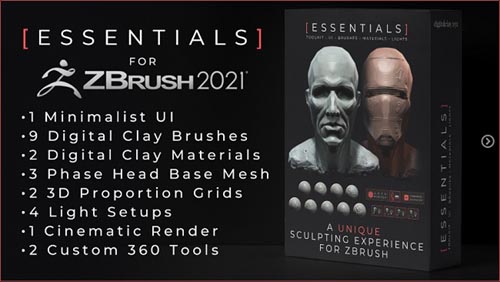
The Digital Clay “Essentials” toolkit is a collection of ever-evolving tools celebrating the essence of digital sculpture in Zbrush.
Wrapped in a beautiful UI, it’s designed to help you breaking through to creative freedom while finding your voice as a sculptor.
It’s the official toolkit of “The Art of Sculpture” Youtube series.
Included:
вњ” Full installation video
вњ” The Essentials UI
вњ” 3 Phase Head Base Meshe or study heads
вњ” 2 Interactive Proportion Grids
вњ” 9 Custom Digital Clay brushes
вњ” 2 Digital Clay Materials
вњ” 4 light setups (one-click button)
вњ” 1 cinematic render (one-click button)
✔ the Turntable Tool – Create custom movies in 1 click
✔ the Turntable 360 Tool – Create 360 movies in 1 click
DOWNLOAD
You must login to show this link. No account? Create Account Category: Other 3DInformation
Users of Guests are not allowed to comment this publication.