
Pixelfront - Masterclass - Create An Atmospheric Environment
cod2war
22-Aug-19
0
Related Articles

Pixelfront - Model An African Acacia Tree in SpeedTree
On 22-Aug-19
by
Pixelfront – Model An African Acacia Tree in SpeedTree...
Pixelfront – Model An African Acacia Tree in SpeedTree...
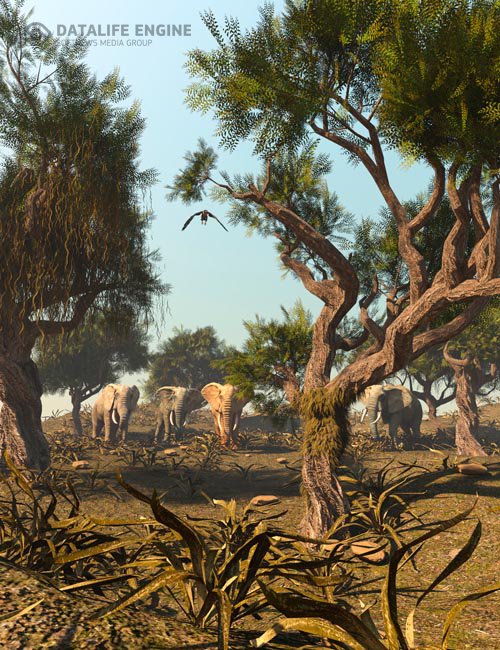
African Acacia Tree
On 24-Mar-21
by
African Acacia Tree Detail link: Warning! You are not...
African Acacia Tree Detail link: Warning! You are not...
The Gnomon Workshop - Creating High-Resolution Custom Trees Using SpeedTree
On 27-Mar-22
by
The Gnomon Workshop - Creating High-Resolution Custom...
The Gnomon Workshop - Creating High-Resolution Custom...
Stylized Trees And Plants Tree Library Flora Paint
On 30-Dec-23
by
Stylized Trees And Plants Tree Library Flora Paint Flora...
Stylized Trees And Plants Tree Library Flora Paint Flora...

MIX Training - Shading with redshift
On 22-Feb-19
by
MIX Training – Shading with redshift...
MIX Training – Shading with redshift...

Pixelfront – Masterclass – Create An Atmospheric Environment
Duration 5h Project Files Included MP4
DOWNLOAD
Info:This course comes with a FREE Speed Tree modelling course worth ?14.99! ‘Create An African Acacia Tree in Speed Tree’. You will learn how to create an African Acacia tree from scratch.
5 Hours of extensive training!
————————————————————————–
(This course requires access to speed trees African tree library. You will need the following tree packs below)
Acacia Species Pack
Dracaena Species Pack
Baobab: Field (Madagascar)
Banyan: Forest
————————————————————————–
Build an asset library that can be used over and over again for different projects
Import our trees into Houdini for shading
Create a fast terrain using Houdini heightfield
Set up our Redshift materials for the trees
Create the ivy using ivytaming v1 plugin for Houdini
Set up our Redshift materials for the ivy
Export our assets as Redshift proxies for extreme speed and efficiency
Scatter the Redshift proxies across our terrain
Position our hero trees
Create the volume fog
Create the clouds
Assign a basic volume shader to our volumes
Render
Finish off with a quick grade in Nuke using Film Convert
Includs the PAID speedtree models
DOWNLOAD HERE :
https://seekvn.com/file/9b024e657921d66020ac8f4ff7656655/PixelfrontMasterclassCreateAnAtmosphericEnviroment.part1.rar.html
https://seekvn.com/file/bec0365151e92df6f2cb001f1899bbd9/PixelfrontMasterclassCreateAnAtmosphericEnviroment.part2.rar.html
https://seekvn.com/file/2b7d7a0378e69e4806eaa43b900b8906/PixelfrontMasterclassCreateAnAtmosphericEnviroment.part3.rar.html
https://seekvn.com/file/b308258585a0de4ea2237cd6998e7682/PixelfrontMasterclassCreateAnAtmosphericEnviroment.part4.rar.html
https://seekvn.com/file/716aa4169adf593cfcb677a4522c87e7/PixelfrontMasterclassCreateAnAtmosphericEnviroment.part5.rar.html
https://seekvn.com/file/db6effabeb224dc977a95bf2112c2536/PixelfrontMasterclassCreateAnAtmosphericEnviroment.part6.rar.html
https://seekvn.com/file/32e14f6f1ad4085b8df6bb9aa1afbee0/PixelfrontMasterclassCreateAnAtmosphericEnviroment.part7.rar.html
https://seekvn.com/file/a224ec7c612a1241de15f4f8a8df9cf9/PixelfrontMasterclassCreateAnAtmosphericEnviroment.part8.rar.html

If link broken, comment under article, we will update it
Category: Other 3D
Information
Users of Guests are not allowed to comment this publication.