
Udemy - ZBrush QuickStart Introduction
cod2war
28-Jul-23
0
Related Articles
Artstation - ZBrush QuickStart Introduction P1
On 19-Sep-22
by
Artstation - ZBrush QuickStart Introduction P1...
Artstation - ZBrush QuickStart Introduction P1...
Udemy - ZBrush Hard Surface Prime
On 28-Jul-23
by
Udemy - ZBrush Hard Surface Prime...
Udemy - ZBrush Hard Surface Prime...

Udemy – Introduction to ZBrush for Beginners
On 26-Jun-24
by
Udemy – Introduction to ZBrush for Beginners Duration 19h...
Udemy – Introduction to ZBrush for Beginners Duration 19h...
Udemy – Zbrush 2021 for Absolute Beginners
On 13-Apr-21
by
Udemy – Zbrush 2021 for Absolute Beginners Duration 20h...
Udemy – Zbrush 2021 for Absolute Beginners Duration 20h...

Digital Tutors Sculpting a Stylized Game Environment in ZBrush and 3ds Max- repost
On 11-Aug-15
by
Digital Tutors Sculpting a Stylized Game Environment in...
Digital Tutors Sculpting a Stylized Game Environment in...
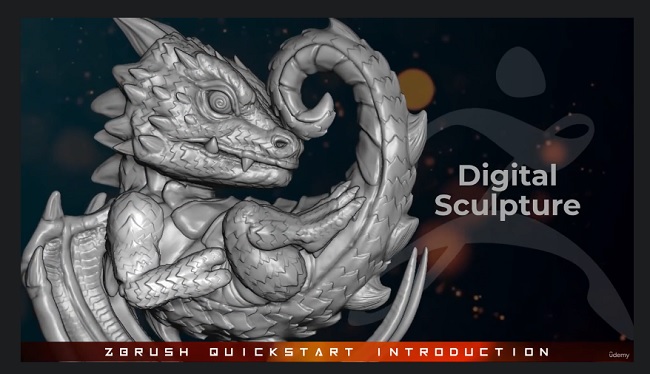
Udemy - ZBrush QuickStart Introduction
DOWNLOAD
Udemy - ZBrush QuickStart Introduction
Title: Udemy - ZBrush QuickStart Introduction
Info:
What you'll learn
ZBrush Interface, Controls and Navigation
Sculpting Brushes, Polypaint, Subdivisions, Dynamesh and SculptrisPro
Special ZBrush Editing Features
Light, Render and Present your model
Are you Creative or Hobbyist interested in learning the Basics of Digital Sculpting in ZBrush Efficiently?
If So, This is the course for you.
My Name is Pierre, I'm a fellow Creative that's spent years playing and creating with ZBrush.
ZBrush is the industry standard When it comes to Digital Sculpting, and it's a powerful app with many ways to do anything.
This Course will simplify the process with specific lessons focused on particular features.
I made this course to deliver the most essential information to create, and learn what ZBrush has to offer.
This is a "Learn as you Go" Beginners introduction to ZBrush.
learn all the Basic Brushes, Options, and Standard workflow methods, for creating all sorts of projects.
In this course we will cover all the basics including 7 fully sculpted project demos to help illustrate features technique and workflows.
Rather for 3d Print, Animation, Game Dev ,Concept Art and illustration, there is no limit to What you can Create.
By the end of this course you will be able to sculpt, light, and render your future projects with confidence.
Spend less time piecing together essential information from various sources, and more time creating.
If your ready, Join me, and let's get started.
Who this course is for:
This Course is For Absolute beginners interested in Digital Sculpting and 3D Print
DOWNLOAD HERE
https://nitroflare.com/view/3BA4C2E0A34BAC0/UdemyZBrushQuickStartIntroduction.part1.rar
https://nitroflare.com/view/251255C032A1732/UdemyZBrushQuickStartIntroduction.part2.rar
https://nitroflare.com/view/3B2911D0B96586A/UdemyZBrushQuickStartIntroduction.part3.rar
https://nitroflare.com/view/FBA08D4A9B9691F/UdemyZBrushQuickStartIntroduction.part4.rar
https://nitroflare.com/view/B9D695DAB401722/UdemyZBrushQuickStartIntroduction.part5.rar
https://nitroflare.com/view/3D1995BBED5039D/UdemyZBrushQuickStartIntroduction.part6.rar
https://nitroflare.com/view/C7011A591B77CB1/UdemyZBrushQuickStartIntroduction.part7.rar
https://nitroflare.com/view/D366F3E20D5FB63/UdemyZBrushQuickStartIntroduction.part8.rar

If link broken, comment under article, we will update it
Category: Other 3D
Information
Users of Guests are not allowed to comment this publication.