
Retopology Tools 1.3.0 for 3ds Max 2022-2024
cod2war
18-Apr-23
0
Related Articles
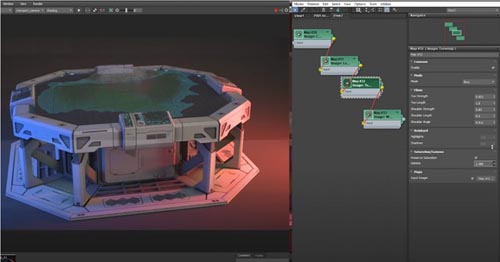
Retopology Tools for 3ds Max 2021.0 to 2021.2
On 08-Dec-20
by
Retopology Tools for 3ds Max 2021.0 to 2021.2 ==========...
Retopology Tools for 3ds Max 2021.0 to 2021.2 ==========...
Quadwrap- Retopology Tool
On 19-Jun-25
by
Quadwrap- Retopology Tool QUADWRAP is a new retopology...
Quadwrap- Retopology Tool QUADWRAP is a new retopology...
FlippedNormals – Retopology in Blender 2.8 with Henning Sanden
On 14-Mar-20
by
FlippedNormals – Retopology in Blender 2.8 with Henning...
FlippedNormals – Retopology in Blender 2.8 with Henning...
UV Tools 3.2m for 3dsmax 2013 - 2024
On 18-Apr-23
by
UV Tools 3.2m for 3dsmax 2013 - 2024...
UV Tools 3.2m for 3dsmax 2013 - 2024...

Blender Market - Auto Rig Pro v3.43.22 and Softwrap Dynamics For Retopology v1.0
On 23-Nov-19
by
Blender Market – Auto Rig Pro v3.43.22 and Softwrap...
Blender Market – Auto Rig Pro v3.43.22 and Softwrap...
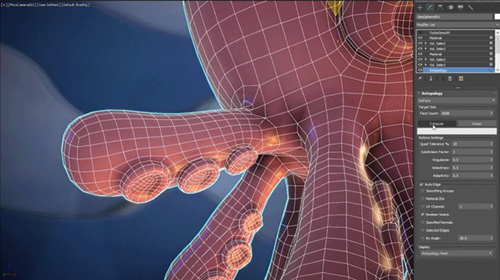
Retopology Tools 1.3.0 for 3ds Max 2022-2024
DOWNLOAD
Retopology Tools 1.3.0 for 3ds Max 2022-2024
Title: Retopology Tools 1.3.0 for 3ds Max 2022-2024
Info:
Retopology Tools for 3ds Max 1.3.0 has important performance improvements, bug fixes and stability improvements. This release is available with your installation of 3ds Max 2024 and supported in 3ds Max 2023, 3ds Max 2022 and 3ds Max 2021.
Highlights
Retopology has been updated to Autodesk ReForm 14.0.0.
Fixed Issues
- Resolved an issue with the Retopology modifier where the cached data could become flagged as changed, resulting in no computed retopology remesh displaying on load. MAXX-67576
- Fixed an issue where in some edge cases UV data was not being properly transferred when using Auto Edges and Pre-Processing in Retopology. MAXX-66884
- Resolved an issue where a selection that was passed up to the Retopology modifier was not properly used with Pre-Processing to aid in the remeshing process, resulting in an unexpected output. MAXX-69017
Known Issues and Limitations
When uninstalling the Autodesk Retopology Tools 1.1.0 (or previous) for 3ds Max, the message "Install Error 1603" appears. Workaround: Un-install any previous version of the Retopology Tools installed on your system, restart your PC, then install 1.3.0.
DOWNLOAD HERE
https://ezvn.net/rhr9u1qw1moo/Retopology_Tools_v1.3.0_for_3DS_MAX_2021-2024.rar.html
https://seekvn.com/file/3af45edec68bb627ba82d3370b8a794d/Retopology_Tools_v1.3.0_for_3DS_MAX_2021-2024.rar.html

If link broken, comment under article, we will update it
Category: Other 3D
Information
Users of Guests are not allowed to comment this publication.